See auxi in action
Explore auxi and see how it can elevante
your workflows and save you time!
Schedule a Demoyour workflows and save you time!
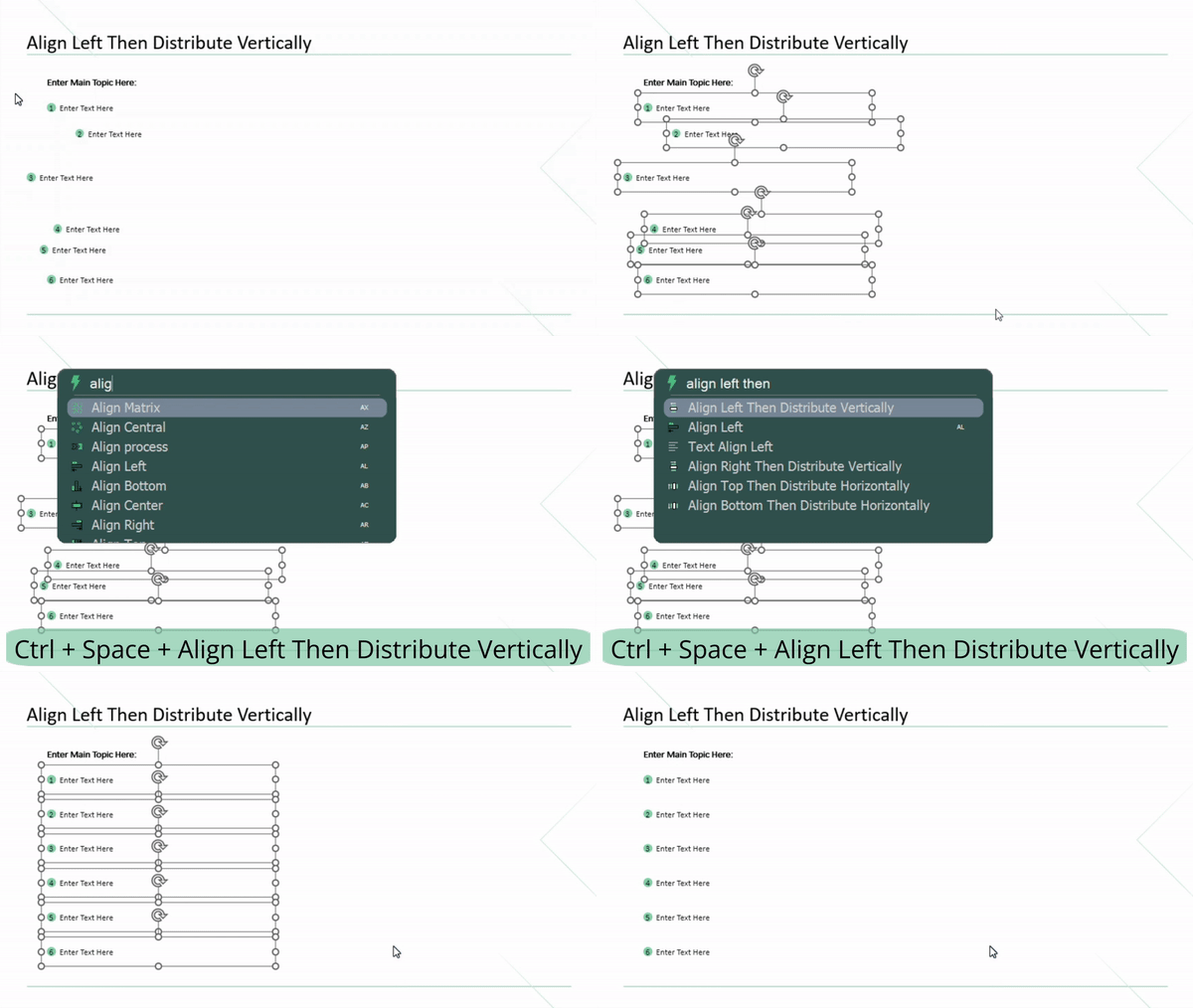
1. Align Left Then Distribute Vertically.
- Select your items then select the Align Left Then Distribute Vertically command using the Smart Bar.
⤷ Two in one!
2. Add, Delete Column.
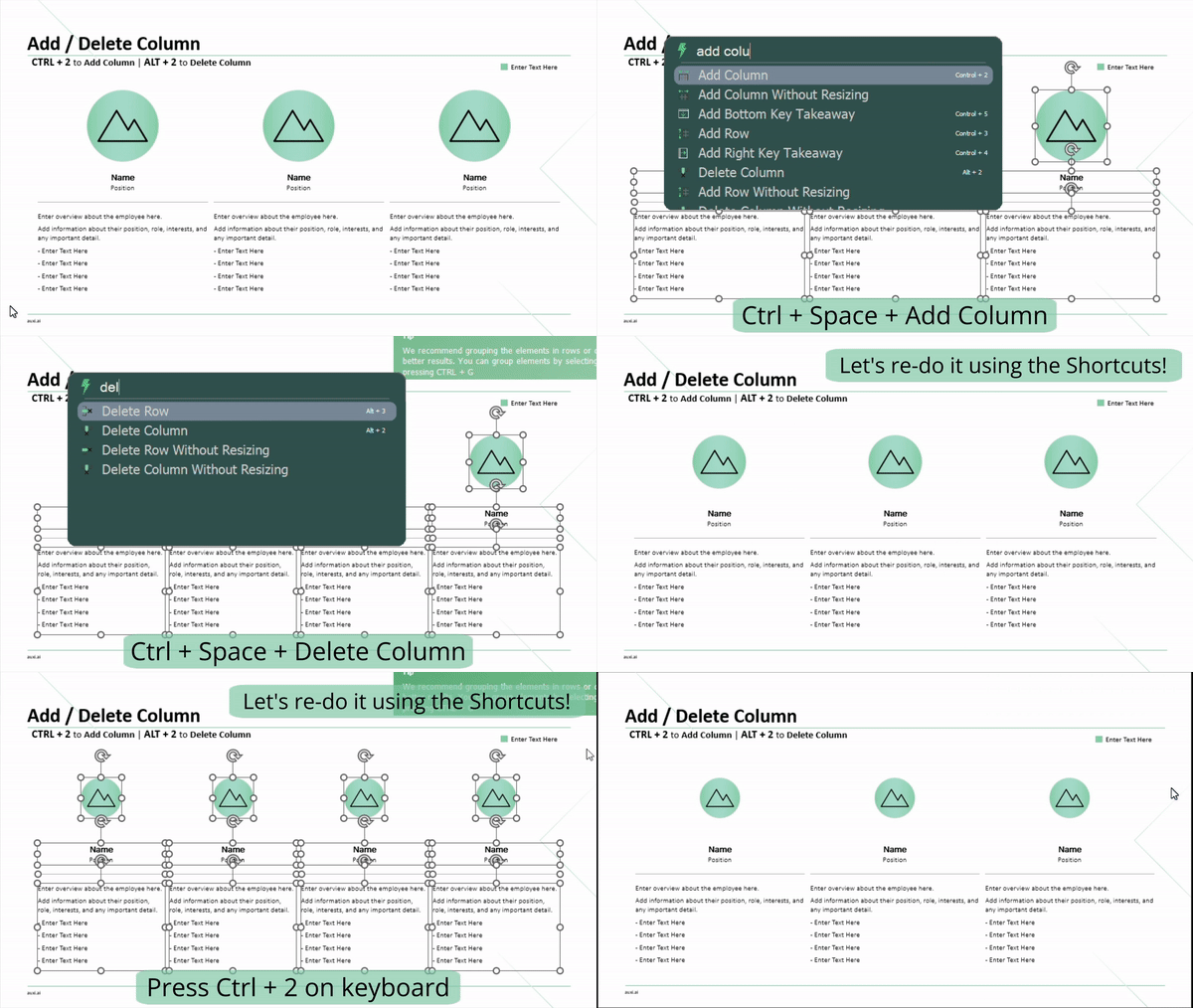
- Select your columns and find the Add Column or Delete Column commands using the Smart Bar.
- You can also use the following keyboard shortcuts:
- Ctrl + 2 for Add Column.
- Alt + 2 for Delete Column.
⤷ Now you don’t have to waste your time resizing, distributing, arranging, and losing your temper!
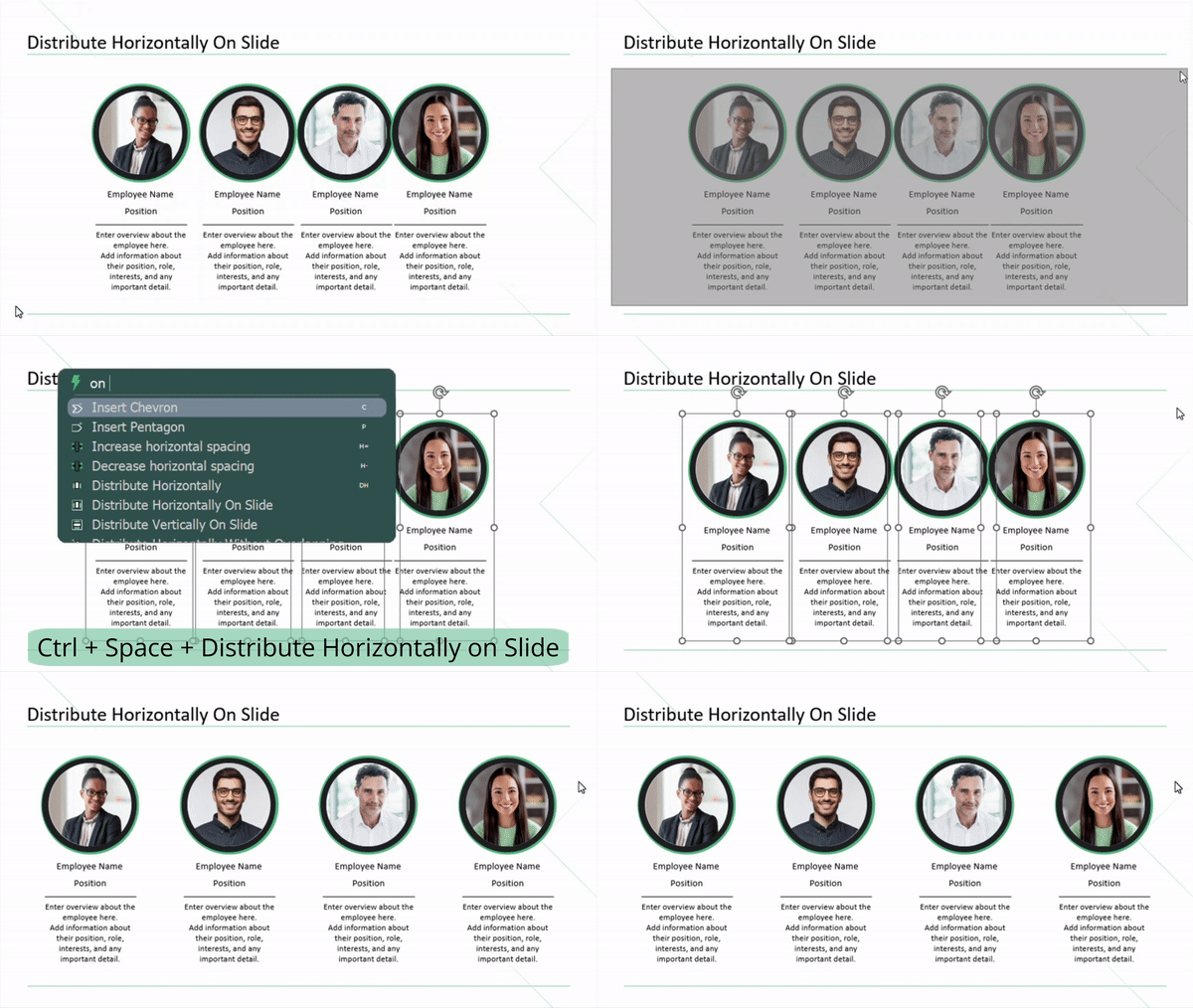
3. Distribute Horizontally On Slide.
- Select your items and Distribute Horizontally On Slide through the Smart Bar.
⤷ Now everyone’s comfy in their right place.
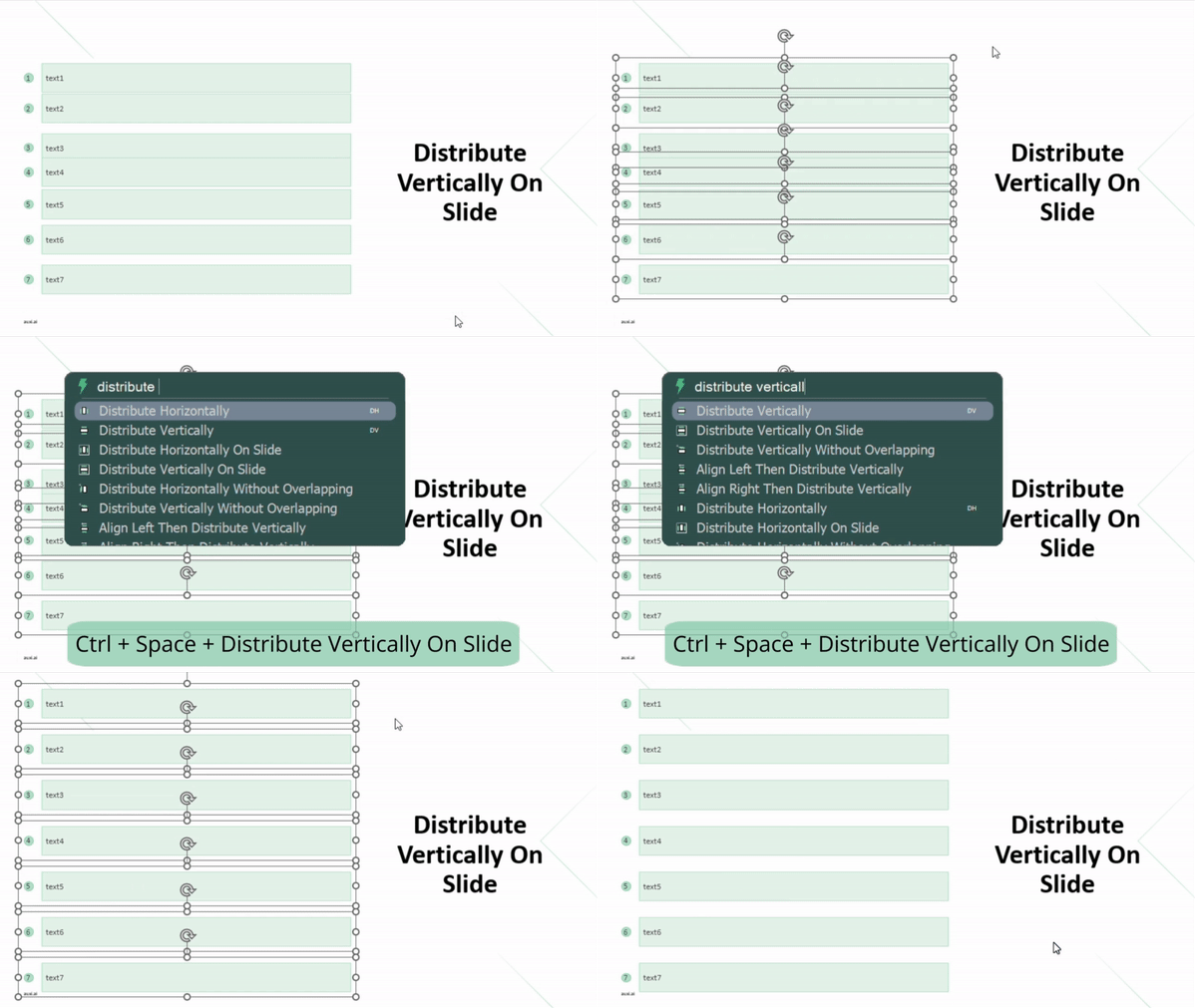
4. Distribute Vertically On Slide.
- Select your items and Distribute Vertically On Slide through the Smart Bar.
⤷ Now your rows are comfortable and feeling well.
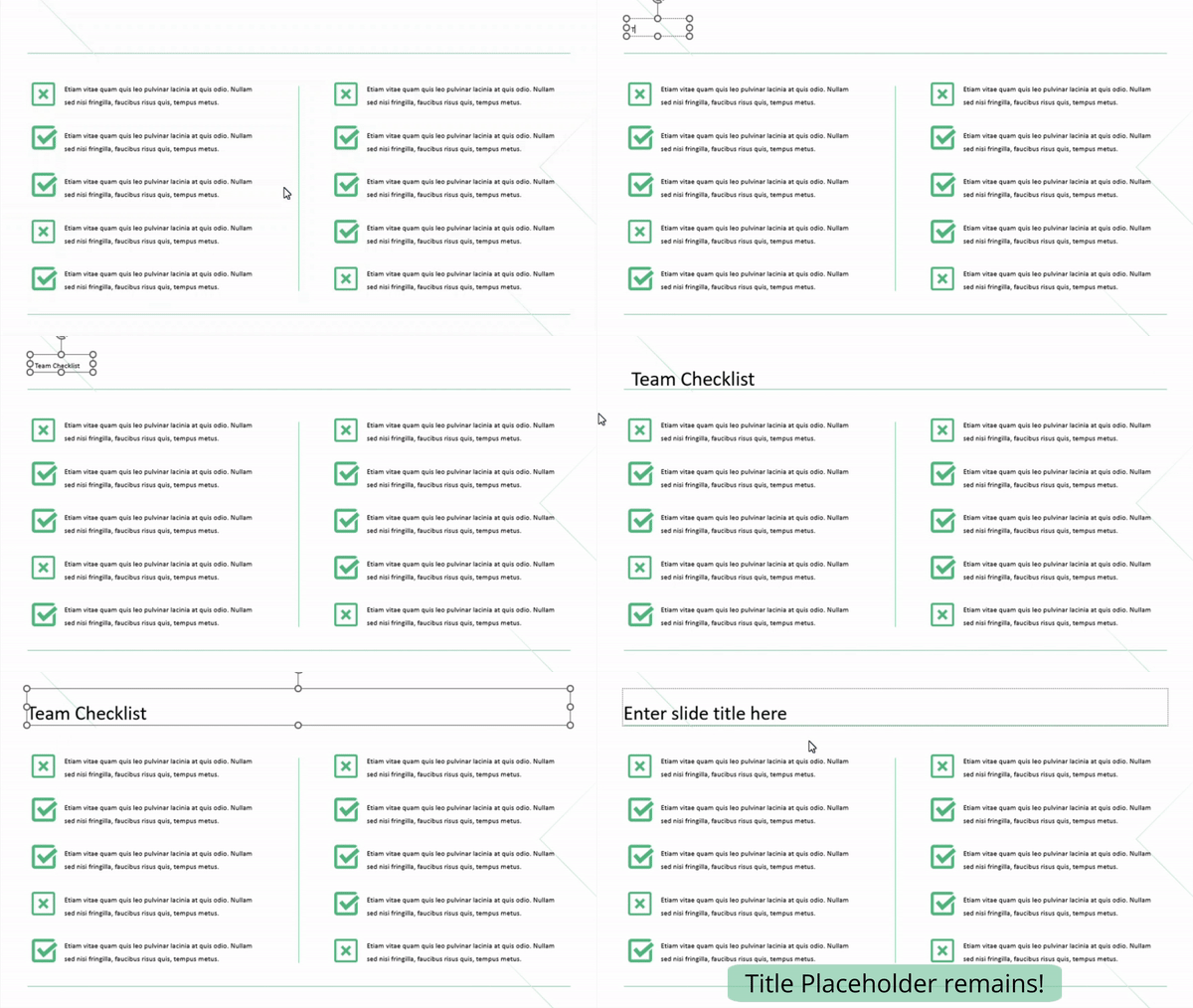
5. Fix Slide Title.
- If your title is in a text box, not in a Title Placeholder, Fix Slide Title using the Smart Bar.
⤷ This command catches the text inside the closest textbox to the Title Placeholder in the Layout and places it in a placeholder.