
auxi for Management Consulting
auxi gives consulting teams the speed to go from rough inputs to polished, on-brand decks without spending hours on formatting, alignment, and slide cleanup.
Schedule a Demo














Replace fonts, colors, and formatting across an entire deck in one step. auxi scans every instance and lets you swap them in bulk, so your team can move between client brands without touching slides one by one.

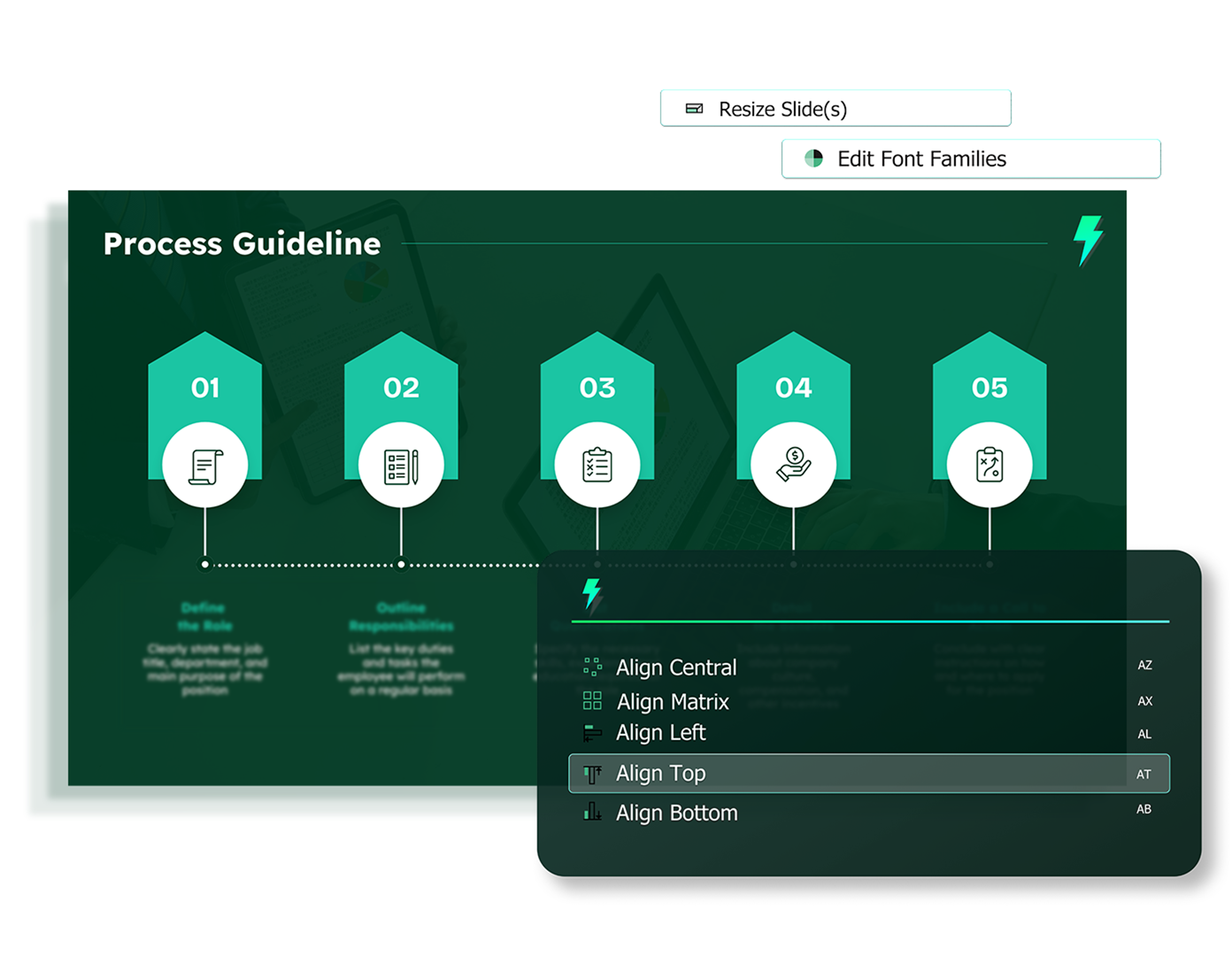
Align left with A+L. Insert a rectangle with R. Open the auxi smart bar with CTRL+SPACE and search for any feature instantly. Every action that takes 5 clicks in PowerPoint takes 1 keystroke in auxi.

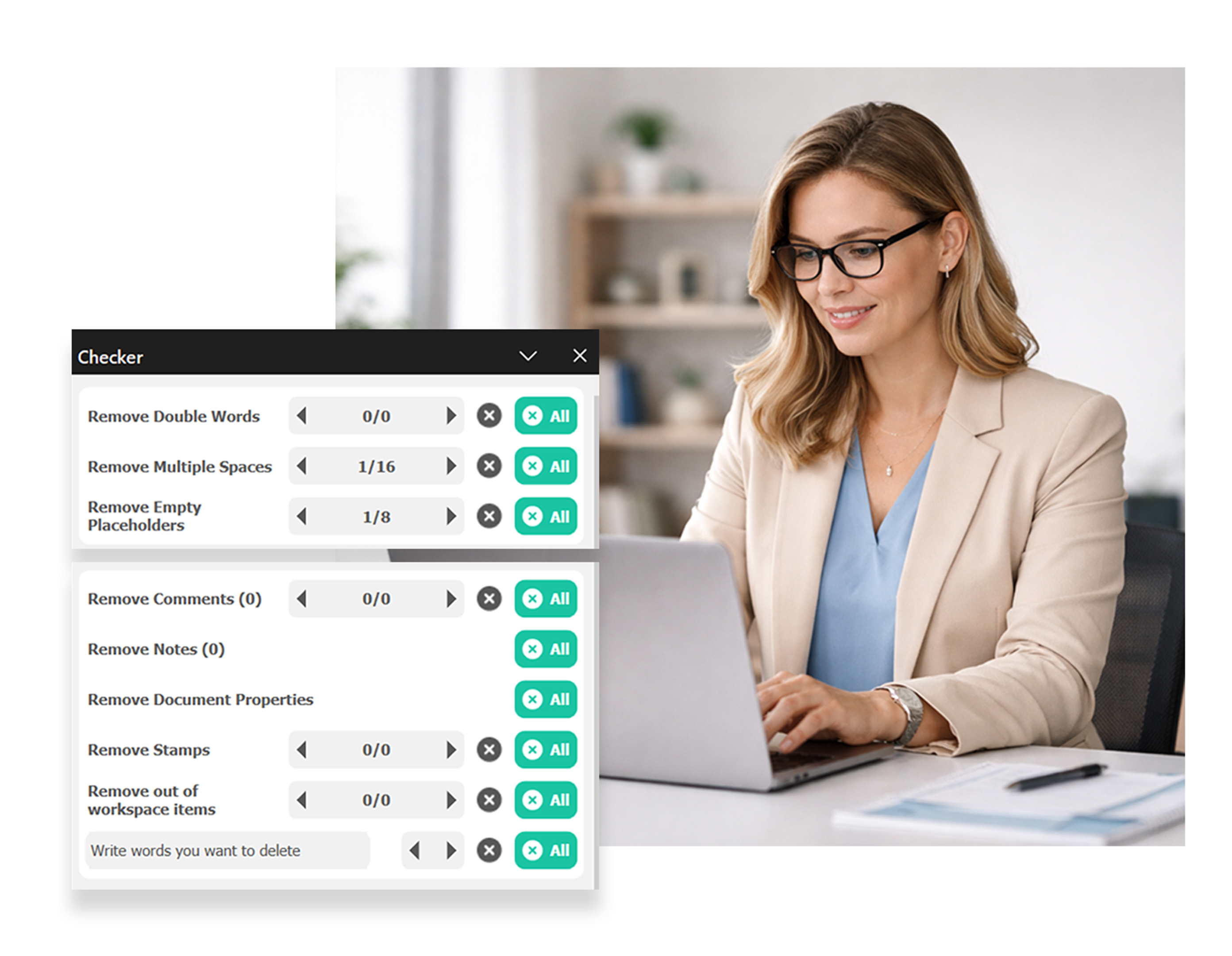
auxi's Checker scans entire decks for double words, multiple spaces, empty placeholders, out-of-workzone items, and font size violations. Review everything in one list and fix it in seconds.
Make speed your advantage
auxi automates the slide mechanics that eat up consulting hours: one-tap alignments, smart distributions, matrix layouts with A+X, and process flows with A+P. Add a row or column to any slide and auxi reformats everything else to fit automatically.
Share decks confidently
No more double guessing
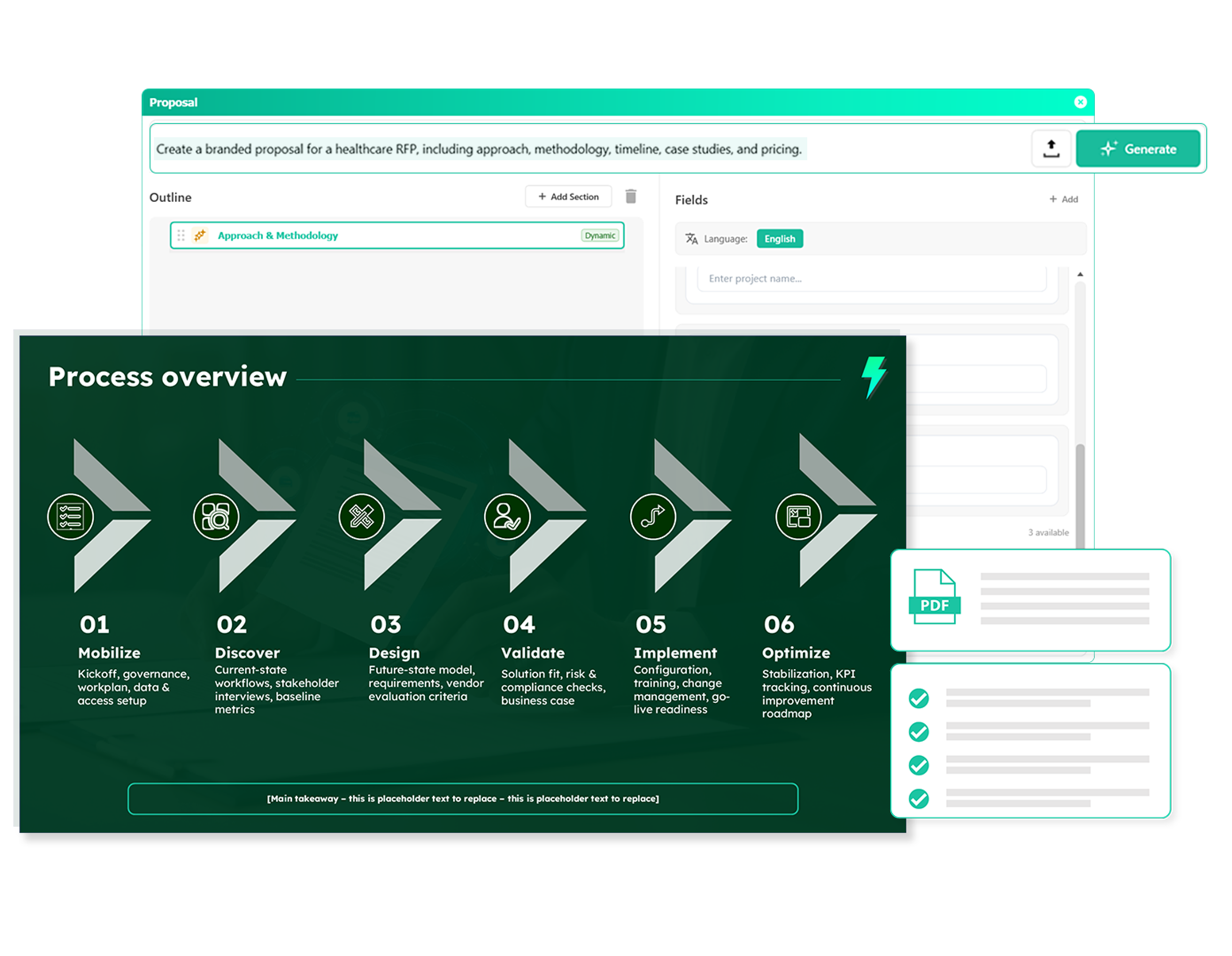
Responding to RFPs shouldn't mean rebuilding the same slides every time. Upload your RFP, feed in your details, and let auxi generate a fully branded, client-ready proposal in minutes. Your team's expertise goes in, and a winning proposal comes out ready to send.
slides built on
auxi each month
top consulting
firms use auxi
enterprise companies
building slides with auxi

— Kate Aseltyne, Senior VP - Baird
How does auxi handle multiple client brand guidelines?

auxi's one-click branding lets your team store and switch between brand profiles. You can scan an entire deck, see every font and color with instance counts, and replace them in bulk. Admins can also lock brand settings to ensure consistency across teams.
Can I reuse slides from previous engagements?
Yes. auxi lets you save slide layouts, snippets, and full templates from previous projects into a shared library. Type-Based Recommendations also lets you search for a specific slide type, like a team slide with 3 members and images, and auto-populates it with your content.
How does the AI work for consulting-specific content?
auxi's AI includes a "Rewrite as Consultant" feature that refines any text to meet consulting standards for clarity, structure, and professionalism. You can also summarize, expand, rewrite into bullets, or generate entire proposals with the Proposal Maker. Simultaneously, you can use Darwin, a conversational AI agent built for consulting firms let's you accomplish much more.
How do consulting firms typically roll out auxi?
auxi's enterprise plan includes admin controls, team-wide brand governance, customizable shortcuts, and onboarding support designed for large-scale rollouts across offices and regions.
What does the Checker actually catch?
The Checker scans for double words, multiple spaces, empty placeholders, out-of-workzone items, removed comments, transitions, animations, stamps, notes, unused layouts, font size violations, and layout compliance issues. You can review and fix everything from a single list.