

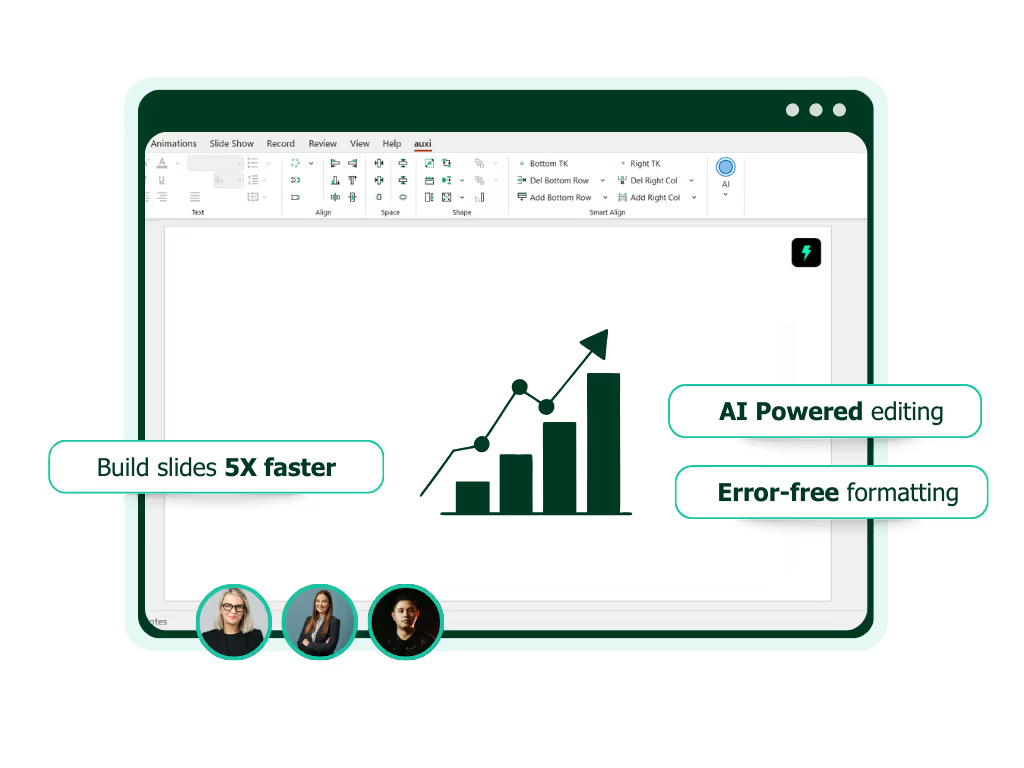
See auxi in action
your workflows and save you time!
Consultants, investment bankers, and private equity professionals do not “use” PowerPoint.
They live in it.
Pitchbooks, investment memos, IC decks, CIMs, board updates, operating reviews, diligence reports, and proposals all flow through presentations. For many teams, PowerPoint is not just a presentation tool. It is the operating system that drives client delivery and deal execution.
Yet most firms still rely on a patchwork of basic templates, manual formatting, and lightweight plugins built for individual users rather than organizational scale.
An enterprise PowerPoint add-in changes that equation. Not a free add-on with a few icons. Not a niche powerpoint plugin with one feature. While free PowerPoint add-ins like Smarter Slides offer useful features for enhancing presentations, they lack the key features, centralized management, and security controls required by large organizations.
Below are seven reasons why serious finance and consulting teams deserve an enterprise-grade solution.
1. Increased Productivity in a Slide-Driven Business
In consulting and finance, time is the scarcest resource. Analysts and associates often spend more time formatting slides than analyzing insights.
Research consistently shows that knowledge workers spend a substantial portion of their week on low-value administrative work. McKinsey estimates that up to 30 percent of tasks in many roles can be automated with existing technologies. In parallel, a widely cited McKinsey study on the social economy of collaboration found that knowledge workers spend nearly 20 percent of their time searching for internal information or tracking down colleagues.
For consultants and bankers, that “search” frequently happens inside slide decks. Searching for the right template. The right logo. The right market map. The right precedent transaction slide. The right version.
An enterprise PowerPoint add-in centralizes these assets inside PowerPoint itself. By helping users quickly locate and manage files, images, and other assets, the add-in makes collaboration easier and streamlines the presentation creation process. Approved templates, charts, icons, brand elements, slide libraries, and reusable modules become searchable and instantly accessible.
The impact is measurable. Fewer manual formatting cycles. Less time rebuilding standard slides from scratch. More time focused on analysis, storytelling, and client dialogue.
Productivity gains compound across teams. If a 100-person advisory team saves even 30 minutes per day through automation and centralized assets, the annual impact is significant. This is not convenience. It is capacity creation.
2. Speed & Time-Sensitive Workflows
Speed is not a luxury in consulting or finance. It is competitive advantage.
Investment banks operate in compressed timelines where teasers, CIMs, and management presentations must be turned around in days. Private equity firms refine investment committee decks hours before meetings. Consultants iterate proposals overnight.
Harvard Business Review has repeatedly emphasized the cost of context switching and fragmented workflows. Each manual formatting task interrupts cognitive flow. Each switch between tools adds friction.
An enterprise PowerPoint add-in reduces those switches. As soon as users open PowerPoint, they have immediate access to the add-in's features, eliminating the need to search for more add-ins or external tools.
Instead of copying legacy slides from old decks and reformatting them. Instead of recreating proposal structures from memory.
Teams can generate standardized sections, automate layouts, and enforce design logic automatically. Some advanced tools incorporate AI to translate decks across languages or generate structured proposal frameworks directly within PowerPoint.
Speed increases not because teams rush. Speed increases because mechanical friction is removed.
In environments where response time directly affects mandate wins or deal outcomes, that advantage is strategic.
3. Enhanced Branding and Design at Scale
Brand is credibility.
For consulting firms, slide design signals rigor. For investment banks, visual polish signals precision. For private equity firms, clarity signals control.
Inconsistent fonts, misaligned charts, outdated logos, or off-brand colors erode confidence subtly but meaningfully. Research published in the Journal of Marketing Research shows that visual presentation quality influences perceived competence and trustworthiness.
The challenge is scale.
Even with brand guidelines, decentralized teams often deviate under deadline pressure. Templates drift. Colors shift. Formatting becomes inconsistent across offices and geographies.
An enterprise PowerPoint add-in embeds brand rules into the workflow with branding automation. Fonts, color palettes, chart styles, disclaimers, and slide masters are standardized and centrally updated. Enterprise add-ins can also provide access to a consistent library of icons and country flags, as well as advanced animations to further enhance the visual impact of presentations. When brand evolves, the update is pushed globally.
Design ceases to be a manual policing exercise. It becomes automated governance.
The result is not just better looking slides. It is institutional coherence. Every pitchbook, proposal, and board deck reinforces the same visual identity.
4. Consistency Across Offices, Teams, and Clients
Consistency is operational discipline.
Global consulting and finance organizations struggle with version control and slide fragmentation. Different offices maintain their own templates. Analysts reuse outdated slides. Legacy decks circulate long after brand updates.
A study by IDC estimated that employees spend roughly 2.5 hours per day searching for information. In professional services firms, much of that search happens across past decks and shared drives.
An enterprise PowerPoint add-in creates a single source of truth inside the tool professionals already use. For large organizations, this centralized approach ensures teams can add more detail to presentations while maintaining consistency and control over content through features like Super Search.
Approved slide libraries. Up-to-date credentials. Standardized market maps. Deal tombstones. Boilerplate legal language.
When everyone pulls from the same controlled repository, consistency improves across: client messaging, market positioning, deal statistics, and visual presentations.
For private equity firms raising successive funds, consistency strengthens LP communication. For banks pitching repeat clients, it ensures aligned messaging across industry groups. For consulting firms with global offices, it reinforces one firm identity.
Consistency reduces rework. It also reduces risk.
5. Global Synergy in Distributed Teams
The modern advisory firm is global by default.
Consultants collaborate across time zones. Investment banking teams span New York, London, and Hong Kong. Private equity portfolio reviews involve regional operating partners and central teams.
Microsoft’s Work Trend Index highlights how hybrid and global collaboration have intensified digital communication demands. Slide decks travel continuously between geographies.
Without standardized tools, this creates duplication and fragmentation. Different offices build parallel content. Best practices remain siloed.
An enterprise PowerPoint add-in enables global content sharing without chaos.
Central libraries allow offices to access proven slides instantly. Enterprise add-ins are compatible with both Windows and Mac, and can enhance real-time collaboration across global teams. Translation features can localize decks without rebuilding from scratch. Proposal generation frameworks ensure that a pitch in Frankfurt mirrors the structure of a pitch in Chicago.
Global synergy does not happen automatically. It requires infrastructure.
A robust powerpoint plugin becomes that infrastructure, embedded directly within the daily workflow of professionals.
6. Improved Workflows and Reduced Cognitive Load
Consultants and bankers are not hired for their ability to align text boxes. They are hired for insight.
Yet formatting tasks impose cognitive load. Research in cognitive psychology shows that even small interruptions reduce deep work capacity. Each micro-task, resizing shapes, fixing alignment, adjusting fonts, chips away at analytical focus.
An enterprise PowerPoint productivity tool streamlines repetitive actions.
Automated alignment. Smart formatting. Structured slide builders. Integrated data visualization standards. AI-supported drafting for proposals or executive summaries.
These capabilities reduce decision fatigue around design and layout. Professionals can focus on narrative logic, valuation assumptions, operational improvement plans, and strategic recommendations.
Over time, this shift improves quality. Not because the tool thinks for the team. But because it removes low-value friction.
Tied in with features like the Checker, decks are scanned for formatting issues, and grammatical errors to save additional time.
In high-intensity environments like M&A advisory or strategy consulting, preserving cognitive bandwidth is a performance advantage.
7. Enterprise-Grade Security, Deployment, and Governance
Free add-ins solve isolated problems. Enterprise PowerPoint add-ins solve institutional ones.
Consulting firms and financial institutions operate in regulated, confidentiality-sensitive environments. Client data, financial projections, and transaction details cannot flow through unsecured tools.
An enterprise solution offers centralized deployment via Microsoft 365 admin controls, role-based access, auditability, and secure content management. Templates and assets are controlled. Updates are managed. Permissions are structured.
This governance ensures that: confidential materials remain within controlled environments. Brand assets are not downloaded and circulated informally. Content updates propagate instantly across the organization.
Enterprise IT teams can evaluate, deploy, and monitor the solution at scale. Secure installers and controlled install processes ensure that only approved files are used, minimizing security risks and maintaining compliance. That distinction separates a consumer-grade powerpoint plugin from a strategic platform investment.
For firms handling billion-dollar transactions or sensitive strategic transformations, that difference matters.
Implementing an Enterprise PowerPoint Add-In in Your Organization
Rolling out an enterprise PowerPoint add-in across your organization requires a thoughtful, strategic approach to ensure maximum impact and adoption. Start by engaging key stakeholders from consulting, finance, IT, and design teams to identify the specific pain points and requirements unique to your workflows. Collaborate with your IT department to evaluate compatibility with your existing Microsoft Office environment, ensuring seamless integration with PowerPoint.
Next, develop a deployment plan that includes pilot testing with a select group of power users. This allows you to gather feedback, fine-tune custom features, and address any technical challenges before a full-scale rollout. Leverage centralized deployment tools within Microsoft 365 to manage installation, updates, and user permissions efficiently across all teams and offices.
To drive adoption, communicate the benefits of the new PowerPoint add-in clearly—highlighting how it will help users create slides faster, maintain brand consistency, and access productivity tools directly within PowerPoint. Provide easy access to a library of templates, slide elements, and custom commands, ensuring that every team member can quickly find and use the resources they need. By taking a structured, collaborative approach, your organization can unlock the full value of enterprise PowerPoint add-ins and transform daily work for every user.
Support and Training for Seamless Adoption
Ensuring your team gets the most out of a new enterprise PowerPoint add-in starts with robust support and comprehensive training. Offer a mix of live training sessions and on-demand tutorials tailored to your organization’s needs, covering everything from managing slide masters and templates to leveraging advanced features like AI Create or Branding Automation. Customized workshops like the ones auxi offers can help users master the add-in’s unique capabilities, such as automating chart creation, aligning shapes, and managing complex slide elements.
Provide quick access to user manuals, FAQs, and a dedicated support team so users can resolve issues and learn new features without delay. Encourage teams to explore productivity tools and custom commands that streamline repetitive tasks and enhance daily work. By investing in ongoing support and training, you empower users to create high-quality PowerPoint presentations efficiently, ensuring your organization maximizes the value of its investment and maintains a competitive edge.
Cost-Benefit Analysis: Justifying the Investment
When considering an enterprise PowerPoint add-in, it’s important to look beyond the upfront cost and focus on the long-term value it brings to your organization. Automating repetitive tasks such as formatting, aligning shapes, and updating slide elements can save your team significant time, allowing them to focus on higher-value activities like data analysis, storytelling, and client engagement. For example, a team that saves just 30 minutes per day per user can reclaim hundreds of hours annually, translating into substantial productivity gains and cost savings.
Moreover, a PowerPoint add-in helps ensure brand consistency and reduces errors, which is critical when presenting to clients or decision makers. By streamlining workflows and improving efficiency, your organization can deliver more polished presentations in less time, strengthening your brand and client relationships. The result is a clear return on investment: less time spent on manual tasks, more time for strategic work, and a measurable impact on your bottom line.
Best Practices for Maximizing Add-In Value
To fully realize the benefits of your enterprise PowerPoint add-in, it’s essential to adopt best practices that drive ongoing value. Start by customizing the add-in’s features to align with your organization’s unique workflows, whether that means building a library of branded templates or setting up custom prompts for compliance checks. Encourage users to take advantage of productivity tools like quick access toolbars, custom commands, and automated formatting to create slides faster and with greater consistency.
Regularly solicit feedback from your team to identify new feature requests and areas for improvement. Schedule periodic training refreshers to keep users up to date on new features and best practices. Finally, foster a culture of collaboration by sharing tips, templates, and success stories across teams and offices. By continuously optimizing how your organization uses its PowerPoint add-in, you’ll drive greater efficiency, brand control, and business impact.
The Strategic Case for an Enterprise PowerPoint Add-In
PowerPoint is not going away in consulting or finance. If anything, its centrality has increased.
The question is not whether teams will build slides. They will.
The question is whether they will continue doing so with fragmented templates, manual formatting, and disconnected tools. Or whether they will adopt a secure, scalable, productivity-driven enterprise PowerPoint add-in built specifically for high-performance professional teams.
Increased productivity. Faster turnaround. Stronger branding. Consistency across offices. Global synergy. Streamlined workflows. Enterprise-grade governance.
Individually, each benefit is meaningful. Collectively, they reshape how advisory firms operate. An enterprise add-in fundamentally changes how teams approach every PowerPoint presentation, enabling more effective creation, management, and collaboration. Power users can unlock even greater efficiencies by leveraging advanced features to customize workflows and maximize productivity.
For consultants refining proposals under deadline. For investment bankers racing to close mandates. For private equity teams preparing investment committee decks late into the night.
An enterprise PowerPoint productivity tool is not a convenience. It is infrastructure.
If your team builds slides every day, the real question is simple.
Are you optimizing the system that powers your most critical work?
If you would like to see how an enterprise-grade solution can integrate into your firm’s workflow, request a demo and evaluate what institutional slide productivity truly looks like.
auxi - Enterprise PowerPoint Add-In
auxi is a PowerPoint productivity tool specifically built for Enterprise consulting and finance team. With features encompassing productivity, branding and GenAI, auxi helps users build decks 10X faster and implement efficient workflows. Get a demo for a closer look at auxi and how it can benefit your team.