
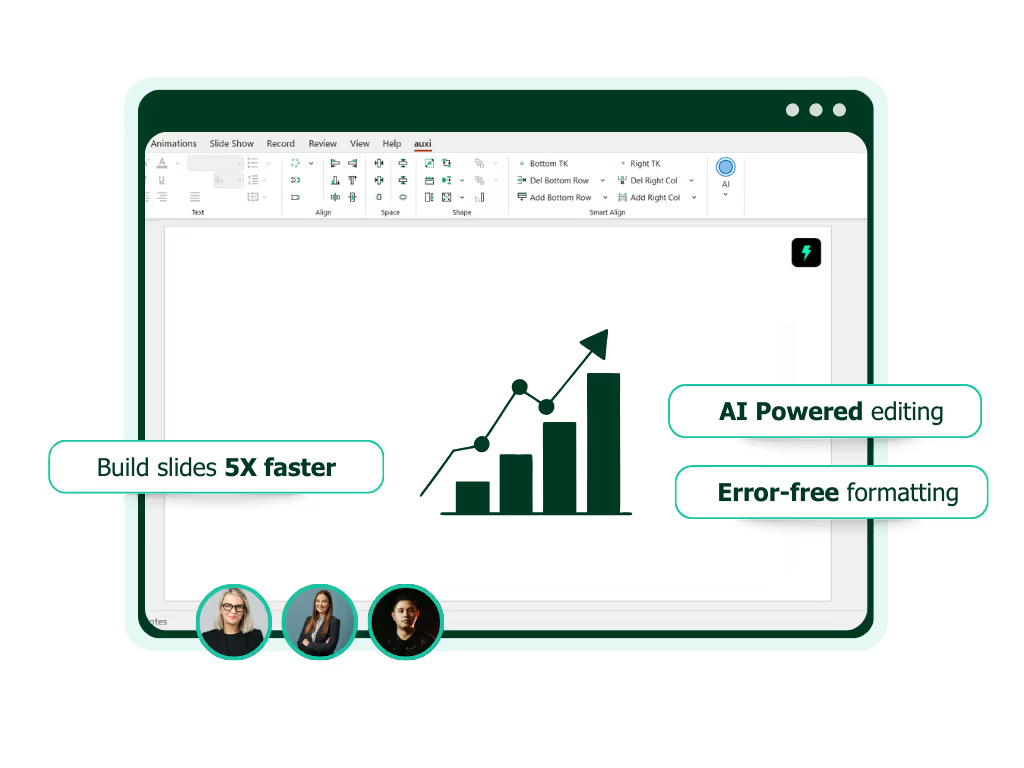
See auxi in action
your workflows and save you time!
A consulting firm just finished a major client deliverable. Four associates across two time zones spent four days building a 55-slide strategy deck. The partner opens it for final review and immediately spots three different fonts, the old logo on slide 22, a color that does not exist in the brand palette, and a chart that somehow inherited styling from a completely different client's template. The deck needs to go to the client in three hours.
This is not a training problem. Every associate on that team knows the brand guidelines. This is what happens when brand enforcement depends on humans remembering rules under deadline pressure, across dozens of slides, at 11pm on a Thursday.
Brand automation for presentations refers to the use of software tools to automatically enforce brand guidelines, including fonts, colors, logo placement, spacing, and template standards, across PowerPoint slides and decks without manual review. For enterprise teams, brand automation eliminates the time-intensive process of checking every slide for compliance and ensures that every deck leaving the organization meets the firm's brand standards.
This guide covers why manual brand checks fail at enterprise scale, what brand automation actually does in practice, how to evaluate tools in this category, and what the workflow looks like when brand enforcement is automated rather than manual. It is written for brand managers, ops leads, and VPs at consulting firms, investment banks, and Fortune 500 companies who are responsible for presentation quality across their teams.
Why Enterprise Teams Cannot Rely on Manual Brand Checks
Manual brand enforcement fails at enterprise scale because the volume of slides, the number of contributors, and the variety of brand templates make human-only review mathematically unsustainable. A firm producing 50 decks per week can spend 100 to 200 hours monthly on brand checks and fixes before any strategic work begins.
The numbers make this clear.
A typical consulting or IB deck is 40 to 60 slides. A thorough manual brand review takes 15 to 30 minutes per deck at minimum. That is just the review. Fixes double the time. A firm producing 50 decks per week spends 50 to 100 hours weekly on brand checks alone, before a single correction is made. Add the fix time and you are looking at 100 to 200 hours per month consumed by an activity that adds zero strategic value.
The empower Global PowerPoint Study found that 37% of total PowerPoint working time is spent on formatting, and that 68 presentations per year per employee do not comply with corporate design guidelines. That is not a rounding error. That is a structural failure in how enterprises manage brand output.
The consistency problem. When 200 people build presentations using the "same" template, the outputs are never actually consistent. Text gets reformatted. Colors get approximated from memory or copied from a previous deck that was itself off-brand. Logos get stretched or placed inconsistently. Template-defined layouts get manually overridden to "make it fit." Each individual deviation is small. Across 50 decks per week, the cumulative brand damage is significant, and it compounds with every new deck that gets built using a previously off-brand deck as a starting point.
The template drift problem. Enterprise teams maintain multiple templates: one per client, one per service line, one for internal use. Over time, these templates get saved locally, modified for specific engagements, and shared informally between team members. Within months, the "official" template has 15 unofficial variants circulating across the firm. No amount of training, guidelines documentation, or email reminders prevents this at scale. The templates themselves are not the problem. The problem is that templates are a starting point, not an enforcement mechanism.
The cost nobody calculates. Brand inconsistency does not show up as a line item on a P&L. But it shows up in client perception when a deck arrives with mismatched fonts. It shows up in partner frustration during review cycles spent catching formatting errors instead of reviewing strategic content. It shows up in the hours senior leaders spend on corrections that should have been prevented upstream. And it shows up in the occasional, genuinely damaging moment when a deck with the wrong client's branding gets sent to the right client. Every firm has a version of that story. Most have more than one.
What Brand Automation for Presentations Actually Does
Brand automation for presentations automatically enforces font standards, color palettes, logo usage, spacing rules, and template compliance across every slide in a PowerPoint deck without manual review. Unlike scan-and-flag tools that produce a checklist of issues, enterprise brand automation applies corrections automatically in one click.
Here is what that looks like across the specific elements that matter in enterprise presentations.
Font enforcement. Brand automation detects non-compliant fonts across the entire deck and replaces them with approved alternatives automatically. Not flagging them for manual correction. Replacing them. For a 60-slide deck assembled from four different source presentations, this alone can save 30 to 45 minutes of manual work. According to the GfK research institute, 40% of all PowerPoint working time goes to recurring formatting tasks like font correction, making automated font enforcement one of the highest-impact capabilities in the category.
Color governance. Off-brand colors in text, shapes, charts, backgrounds, and table formatting are detected and mapped to the nearest approved brand color. This goes beyond checking the obvious. It catches the subtle: a shape filled with a color that is close to the brand blue but was manually entered rather than selected from the theme palette. At scale, these near-misses are the most common and the most time-consuming to find manually.
Template compliance. Brand automation verifies that the deck uses an approved template and that template-defined layouts have not been manually overridden. When associates modify slide masters or manually reposition template elements, the automation catches it.
Chart, table, and shape transformation. This is where presentation-specific brand automation separates itself from generic document compliance tools. Charts, tables, SmartArt, grouped objects, and process flows each carry their own formatting properties that can drift off-brand independently of the slide's text and background. Enterprise brand automation needs to parse and correct these PowerPoint-native elements, not just the text layer.
One-click enforcement vs. scan-and-flag. There is a meaningful distinction between tools that scan a deck and produce a list of issues for the user to fix manually, and tools that enforce standards and apply fixes automatically. The enterprise standard is moving toward the latter. Flagging creates a to-do list. Enforcement solves the problem. At the scale of 50 decks per week across 200 users, the difference between the two approaches is hundreds of hours per month.
An important nuance: brand automation for presentations is fundamentally different from brand compliance for documents generally. Presentations have unique challenges: spatial layout, chart formatting, shape alignment, multi-object slides, layered elements, grouped objects with independent formatting. The empower Global PowerPoint Study found that 96% of employees consider compliance with corporate design important, yet 68 presentations per year per employee still fail to comply. Document-level compliance tools that work well for Word or email templates often fall short for PowerPoint-specific workflows because they were not designed to parse the complexity of a slide.
What to Evaluate in a Brand Automation Tool for Presentations
The seven most important evaluation criteria for enterprise brand automation tools are: PowerPoint-native operation, automated enforcement (not just flagging), multi-brand profile support, element-level transformation (charts, tables, shapes), integration with quality checking and template governance, enterprise deployment controls (SSO, admin portals), and multilingual support with RTL layout handling.
Here is what each criterion means in practice and why it matters.
1. Does it work inside PowerPoint?
Tools that require exporting decks, uploading to a web platform, or switching to a separate application add friction to the workflow. The best brand automation works where the team already works, inside PowerPoint, as a native add-in. If your team has to leave their working environment to check brand compliance, adoption will suffer and the tool will get bypassed under deadline pressure.
2. Does it enforce or just flag?
This is the most important question. Flagging tells the user what is wrong. Enforcement fixes it. At enterprise scale, the difference determines whether brand automation saves your team 5 minutes per deck (flagging) or 2 hours per deck (enforcement). Ask every vendor to demonstrate one-click enforcement on a real deck, not a demo deck.
3. Does it support multiple brand profiles?
Consulting firms and investment banks manage 10 to 20+ client brands. The tool needs to switch between brand profiles seamlessly and apply the correct one per client engagement. A single-brand solution does not work for professional services.
4. Can it transform entire decks and individual elements?
Look for the ability to transform an entire deck to a new brand in one operation, not slide by slide. Beyond full-deck transformation, the tool should handle charts, tables, and shapes independently, because these elements carry their own formatting properties that often resist deck-level changes.
5. Does it integrate with quality checking and template governance?
Brand automation should work hand-in-hand with broader quality assurance: catching empty text boxes, duplicate words, stray comments, speaker notes with internal language, and other consistency issues that a brand check alone will not surface. And it should connect to template management, ensuring the right template is used in the first place, not just cleaning up after the wrong one was used.
6. What is the deployment model?
Enterprise teams need IT-managed deployment, admin controls, SSO, and user management. A tool that requires individual installation and configuration across 200+ users is not enterprise-ready. Ask about admin portals, license management, and rollout support.
7. Does it support global teams?
For firms operating across the US, Europe, and MENA, the tool must handle multilingual content and RTL layouts without breaking brand compliance during translation. A deck that is perfectly on-brand in English but breaks when translated to Arabic or German is only half-solved.
See how auxi compares to Templafy for brand compliance.
How auxi Handles Brand Automation Inside PowerPoint
auxi is a PowerPoint-native add-in that provides one-click brand enforcement, full-deck transformation, bulk transformation across multiple decks, and AI-powered brand-compliant slide generation through its conversational AI, Darwin. It is used by 8 of the top 10 management consulting firms and has facilitated the creation of over 5 million slides.
Here is what brand automation looks like in practice inside auxi's branding automation.
auxi works entirely inside PowerPoint as a native add-in. Brand enforcement is not a separate step or a different tool. It is part of the same workflow where the deck is being built.
One-click brand enforcement. Select the deck, apply the brand profile, and every slide is updated: fonts, colors, spacing, and layout standards corrected in seconds. Press Q to fix all slide colors to the theme across the entire deck. Bulk font replacement lets you swap every instance of a non-compliant font in one operation. What used to take hours of manual review becomes a 30-second automated process.
Full-deck transformation. Need to convert a 60-slide deck from one client's brand to another? Or update a legacy deck to the latest version of your firm's master template? auxi transforms entire decks with one button. Charts, tables, and shapes are transformed independently alongside the slide-level changes, because each element type carries its own formatting properties.
Bulk transformation at sprint scale. For teams managing large-scale rebrand projects or template migrations, auxi supports bulk transformation across multiple decks in a single sprint, rather than requiring each deck to be opened and processed individually.
Darwin for brand-compliant generation. When building new slides, Darwin, auxi's conversational AI, generates content that is brand-compliant from the start. It references your firm's templates, brand guidelines, and historical presentations to produce slides that follow your internal standards. This means brand automation is not just a cleanup step at the end. It is embedded in the creation process itself.
The workflow: build or generate the deck with Darwin, apply one-click brand enforcement to catch anything that needs correction, run the Checker to catch consistency issues (empty boxes, duplicate words, stray comments, font mismatches), and deliver. End to end, the brand compliance process that used to consume hours is reduced to under a minute.
See auxi's branding automation in action. Request a demo.
Frequently Asked Questions
What is brand automation for presentations?
Brand automation for presentations is the use of software to automatically enforce brand guidelines, including fonts, colors, logos, spacing, and template standards, across PowerPoint slides without manual review. It eliminates the time-intensive process of checking every slide for compliance and ensures every deck meets the organization's brand standards.
Why can't templates alone solve brand consistency?
Templates provide a starting point, but they cannot prevent users from modifying fonts, colors, or layouts after opening the file. Over time, templates drift as people save local copies, make adjustments, and share modified versions. Brand automation enforces the rules continuously, not just at the point of creation.
What is the difference between brand compliance and brand automation?
Brand compliance is the goal: ensuring all content meets brand standards. Brand automation is the method: using technology to enforce those standards automatically. Manual brand compliance relies on human review. Brand automation removes the human bottleneck.
How much time does brand automation save enterprise teams?
Enterprise teams producing 30 to 50 decks per week typically spend 100 to 200 hours monthly on manual brand checks and fixes. Brand automation reduces this to near zero, recovering those hours for strategic work. The empower Global PowerPoint Study found that 37% of all PowerPoint time is spent on formatting, with consulting departments averaging 8 hours per week per person in the application.
Can brand automation work with multiple client brands?
Yes. Enterprise brand automation tools support multiple brand profiles, allowing firms to switch between client-specific brand guidelines and apply the correct standards per engagement. For consulting firms managing 10 to 20+ client relationships, multi-brand support is a prerequisite.
Does brand automation work with AI-generated presentations?
Yes. As more teams use AI tools like Claude, ChatGPT, and Copilot to generate slide content, brand automation becomes even more critical. AI-generated slides typically achieve 80 to 85% brand compliance. Brand automation closes the remaining gap automatically, ensuring that AI-assisted workflows still produce fully on-brand output.