

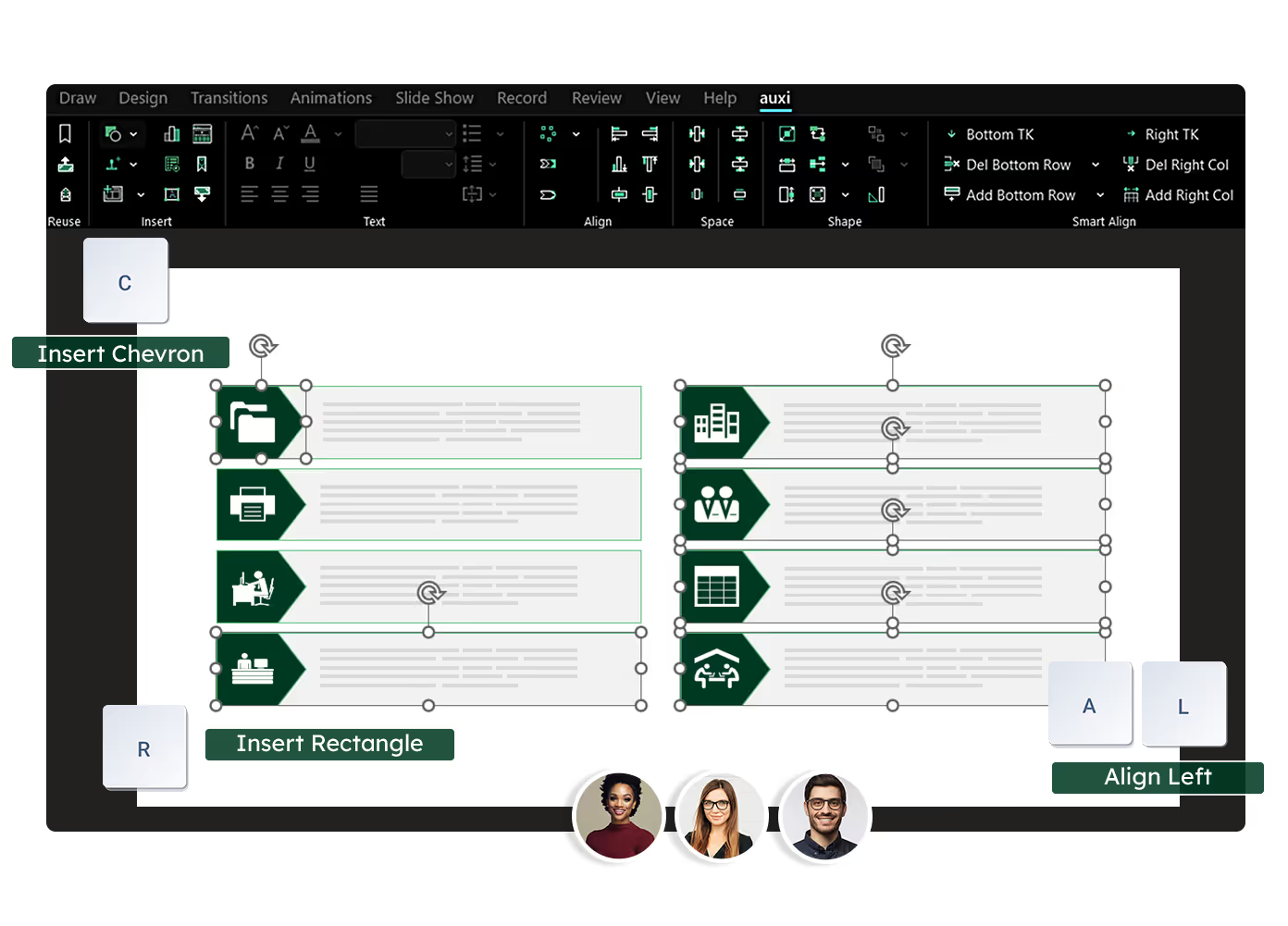
See auxi in action
your workflows and save you time!
Consulting firms need six specific AI-powered PowerPoint capabilities that general-purpose tools like Claude, ChatGPT, and Copilot do not provide: firm-specific brand transformation, matrix alignment for framework slides, intelligent row and column management, automated quality checking, translation, and one-button deck transformation for firm-wide formatting standards.
Consulting firms are adopting Claude, ChatGPT, and Copilot for research and narrative creation, and those tools are genuinely strong at that job. But the production layer, the formatting, brand compliance, layout management, and quality assurance that consumes 60 to 70% of deck-building time, still runs on manual labor. Generic AI does not address it because these are not generation problems. They are production problems that require purpose-built features designed for how consulting firms actually work. For our complete guide to consulting PowerPoint slides, see the full standard these features produce against.
Here are the 6 features that matter, each with the scenario you will recognize and the time comparison that makes the case.
Feature 1: Firm-Specific Brand Transformation
A consulting team just finished a 60-slide strategy deck assembled from three workstreams. Each team used slightly different fonts. The charts carry four different color schemes. Someone used the old logo on the divider slides. The tables have three different border styles. The partner review is tomorrow morning. Manual fix: open every slide, check every element, correct one at a time. That is 2 to 3 hours of the lowest-value work in the entire engagement, done by people billing at $200+ per hour.
auxi's one-click brand transformation applies the firm's brand rules across all 60 slides simultaneously. Press Q to fix all slide colors to the theme. Run Edit Font Families to replace every non-compliant font in one operation.
Transform Charts (WC) and Transform Tables (WT) at deck level to apply the firm's branded styles. This is not generic brand compliance. It is firm-specific infrastructure: 7+ custom table formats, branded chart transformations at selection, slide, or deck level, and custom workzone rules configured for your firm.
For the full approach, see brand automation for enterprise presentations.
Time comparison: 2 to 3 hours of manual correction becomes under 30 seconds.
Feature 2: Matrix Alignment for Framework Slides
You are building a 3x4 comparison matrix with 12 content boxes. Each box has a header, body text, and an icon. That is 48+ objects on a single slide. Manually aligning, sizing, and spacing them to look like they belong on the same grid takes 20 to 30 minutes per slide.
A typical consulting deck has 5 to 10 framework slides. That is 2 to 5 hours of alignment work across the deck, and one wrong nudge throws the whole grid off.
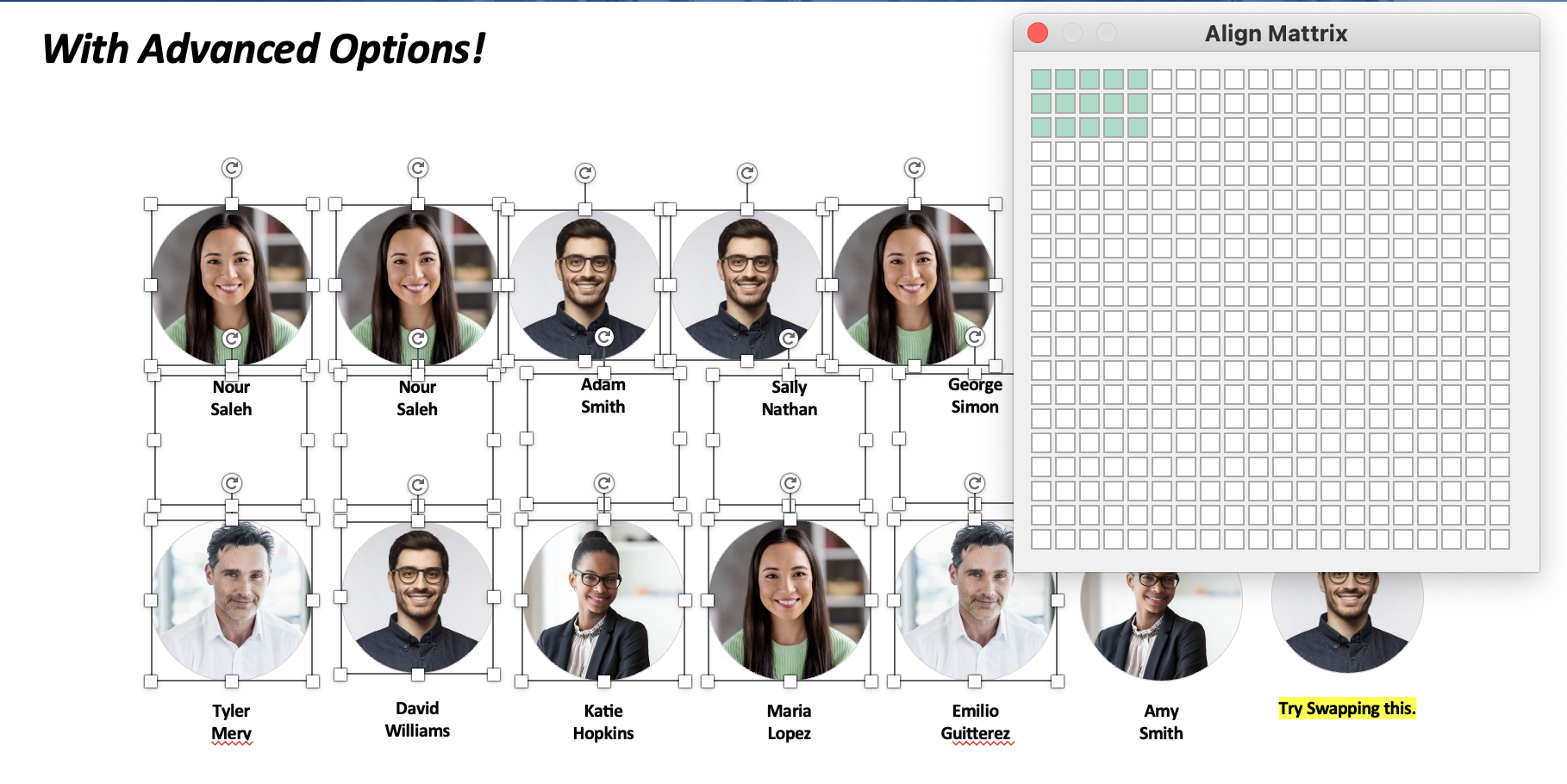
Select all objects, press A+X, and auxi arranges everything into a perfectly spaced matrix. Customize horizontal and vertical spacing through the Smart Bar. Works for any grid configuration.
Need a different layout? Press A+P for process alignment (chevrons, arrows, linear flows), A+Z for circular alignment, or use smart alignment and matrix formatting for any spatial arrangement. Same Size (S+S), Same Width (S+W), and Same Height (S+H) ensure every element is dimensionally consistent.
Time comparison: 20 to 30 minutes per slide becomes 5 seconds.
Feature 3: Intelligent Row and Column Management
It is 11pm. The managing director just reviewed the comps slide and wants two more comparables added. The slide has 5 columns of tightly formatted content: headers, financial metrics, body text, and footnotes.
Adding two columns manually means selecting every element, calculating new widths, resizing five existing columns to make room, placing the new content, re-aligning all text, re-spacing the elements, and re-checking that nothing broke. This takes 15 to 20 minutes per slide and it is the single most stressful formatting task in consulting and IB. Get it wrong and everything shifts.
Select all columns, press Ctrl+2 (Add Column). auxi adds a new column and automatically resizes all remaining columns to maintain equal spacing and fit the slide. Press it again for the second column. Same for rows (Ctrl+3). Delete with Alt+2 and Alt+3. Options for with or without resizing depending on whether you want to maintain the existing column widths or redistribute.
Key Takeaways can be inserted in any direction (Ctrl+4/5/6/7) with automatic repositioning of surrounding content. For the full capability, see intelligent row and column management.
Time comparison: 15 to 20 minutes becomes 3 seconds.
See these features on your firm's actual template. Request a demo.
Feature 4: Automated Quality Checking
A 60-slide deck is going to a partner review or directly to the client. Someone needs to check every slide for: double words ("the the"), extra spaces between words, empty text boxes left from template placeholders, stray comments from the drafting process ("TODO: add data here"), speaker notes that contain internal language not meant for the client, font inconsistencies where someone used Calibri instead of the firm's approved font, and elements that bleed outside the printable workzone.
This manual QA pass takes 30 to 45 minutes. Things still get missed. The partner catches them. The deck comes back for another round.
The Checker scans the entire deck in seconds and flags every issue: double words, multiple spaces, empty placeholders, comments, transitions, animations, stamps, notes, unused layouts, out-of-workzone items, font size violations, and slide title compliance.
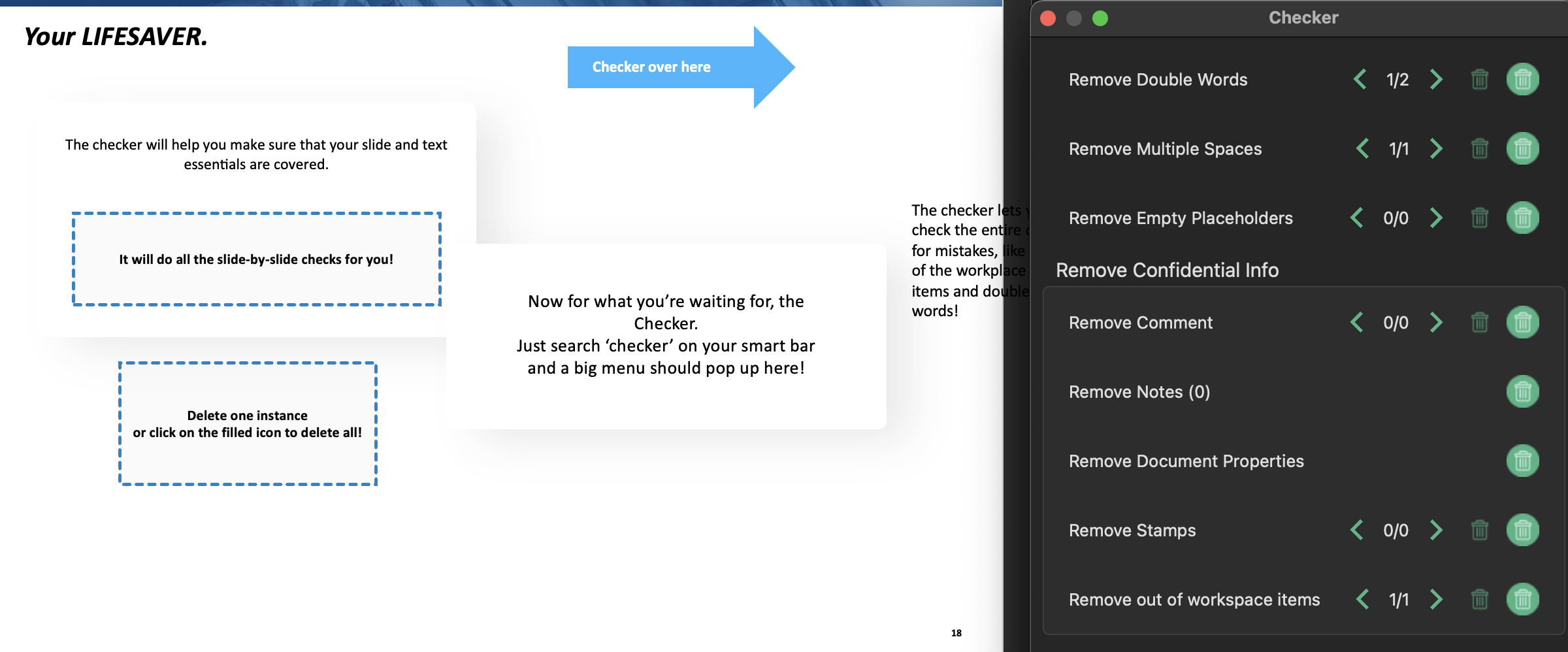
Fix all in batch with one click, or review each item individually. The Checker catches what the human eye misses at midnight after 8 hours of deck work, and it does it in under a minute.
Time comparison: 30 to 45 minutes of manual review becomes under 60 seconds.
Feature 5: Translation
A strategy deck needs to be translated from English to Arabic for a MENA client meeting. The text translation is straightforward. The hard part: every process flow needs to reverse direction. Every timeline runs backwards.
Every chart axis flips. Every hierarchy mirrors. Every bullet indentation switches. Manual flipping of a 50-slide deck takes 3 to 4 hours. Most firms either skip it (delivering a visually incoherent deck) or outsource it (adding days and thousands of dollars).
Press L to open Translate. Select English to Arabic (or any of 50+ languages with automatic RTL flipping). auxi translates all text content and automatically flips the entire slide layout for RTL languages: text alignment, process flow direction, chart axes, timeline direction, hierarchy orientation, bullet indentation, and table column order.
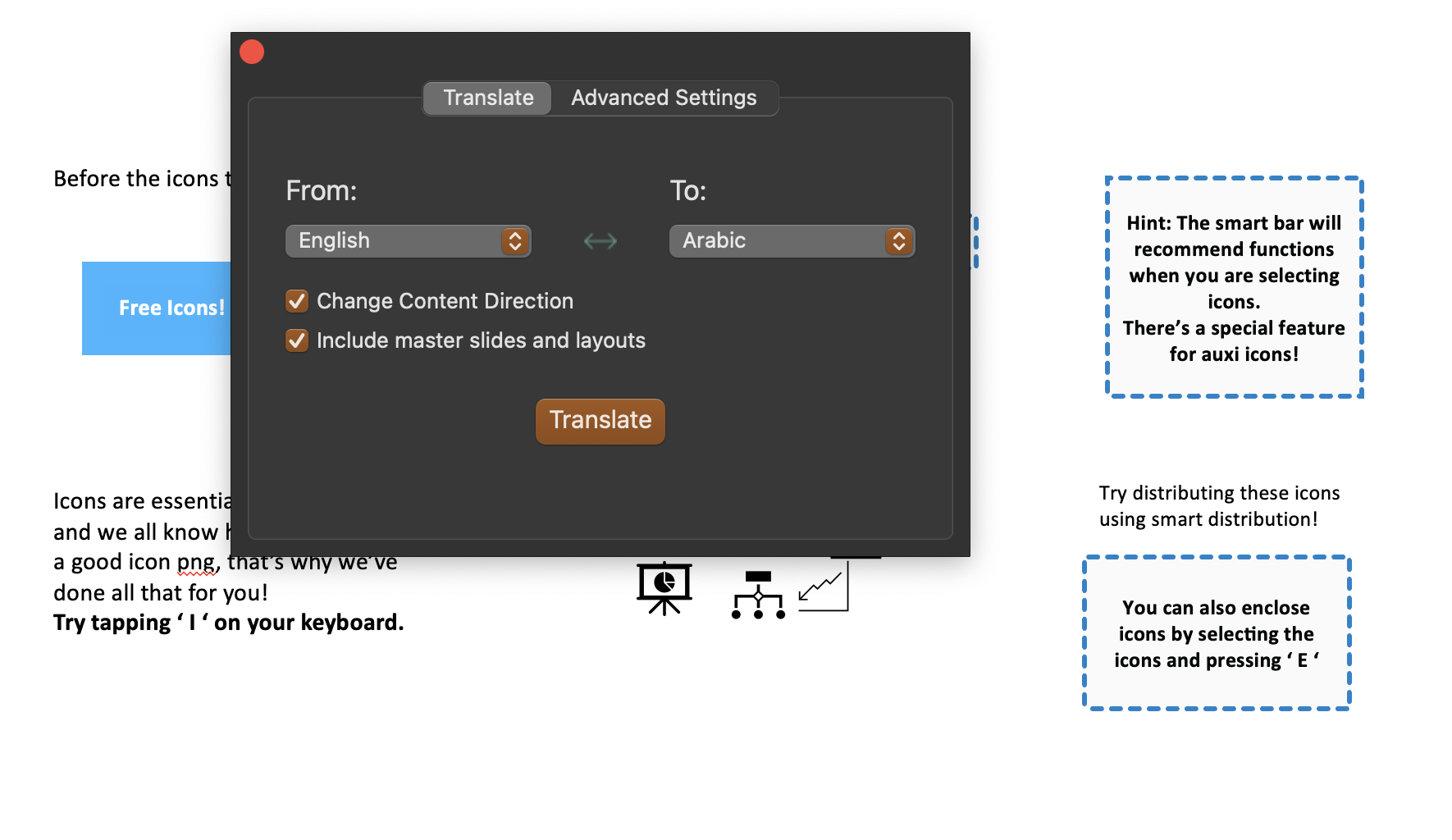
Charts, tables, frameworks, and even third-party add-in charts are handled. Flip individual slides with Flip Slide Content or the entire presentation with Flip Presentation Content.
Time comparison: 3 to 4 hours becomes under 2 minutes.
Feature 6: One-Button Full Deck Transformation
The firm is updating its brand template. Five hundred legacy decks need migration to the new design. Or: a deck received from an external team or a different office needs to be reformatted to match internal standards before the partner sees it.
Manual reformatting of a 40-slide deck means updating the slide size, applying new layouts, changing fonts (with different rules for titles, subtitles, and body text), adjusting bullet formatting, and transforming every chart and table to the new branded style. That is 1 to 2 hours per deck. Across 500 decks: 500 to 1,000 hours of mechanical work.
One operation that changes slide size, applies custom layouts, updates font families (including title vs. subtitle vs. body distinctions), adjusts bullet formatting, and transforms all charts and tables to branded styles simultaneously.
Not a series of six separate operations. One button that sequences all of them. For a firm-wide rebrand, bulk transformation handles multiple decks in a single sprint.
Time comparison: 1 to 2 hours per deck becomes under 1 minute.
Why General AI Cannot Do This
Claude, ChatGPT, and Copilot generate content well.
Copilot generates slides from outlines. None of them can do precision alignment of 47 objects in a framework slide, firm-specific brand transformation with custom table styles and chart formats, intelligent row and column management with auto-resizing, or automated quality checking with font size limits and workzone validation.
These are production features, not generation features. They require dedicated parsers that understand PowerPoint's object model at the XML level, not AI reasoning about what a slide should look like.
For the full analysis, see our analysis of where general AI falls short and the real cost of using Claude for presentations. For a broader look at how these tools compare, see the auxi vs Claude comparison.
The Features That Survive Partner Review
Six features. Each saving hours per deck. Each designed specifically for consulting workflows by a team that has worked with 8 of the top 10 consulting firms and facilitated the creation of over 5 million slides.
The firms that adopt these features do not just work faster. They deliver decks that survive partner review on the first pass, because the brand compliance, formatting consistency, and quality checking are built into the workflow rather than bolted on at the end.
See these features on your firm's template. Request a demo.
Frequently Asked Questions
What PowerPoint features do consulting firms need?
Consulting firms need six specific PowerPoint AI capabilities that general-purpose tools do not provide: firm-specific brand transformation (one-click enforcement of fonts, colors, chart styles, and table styles across full decks), matrix alignment for framework slides, intelligent row and column management with auto-resizing, automated quality checking (double words, empty boxes, font mismatches, workzone violations), right-to-left translation with automatic layout flipping for MENA clients, and one-button full deck transformation for firm-wide formatting standards.
Can AI replace manual slide formatting for consulting decks?
Yes. Purpose-built PowerPoint tools like auxi automate the production workflows that consume 60 to 70% of consulting deck-building time: alignment, font and color correction, chart and table brand transformation, and quality checking. These are deterministic operations that execute in seconds rather than hours. General AI tools (Claude, ChatGPT, Copilot) handle content generation well but do not address production formatting.
What is the difference between Copilot and a consulting-specific PowerPoint tool?
Copilot is a general-purpose AI assistant inside PowerPoint that generates slides from prompts and outlines. A consulting-specific tool like auxi provides 250+ production features: matrix alignment (A+X), process alignment (A+P), one-click brand enforcement (Q), firm-specific chart and table transformation (WC, WT), intelligent row and column management (Ctrl+2, Ctrl+3), automated quality checking, and 50+ language translation with RTL layout flipping. Copilot generates slides. auxi production-finishes them to partner-review quality.
How much time can consulting teams save with PowerPoint AI?
Per deck, purpose-built PowerPoint AI saves 4 to 6 hours compared to manual workflows. Brand transformation: 2 to 3 hours reduced to 30 seconds. Matrix alignment: 20 to 30 minutes per slide reduced to 5 seconds. Quality checking: 30 to 45 minutes reduced to under 60 seconds. For a team producing 30 decks per month, that represents 120 to 180 hours of recovered capacity monthly.
Does auxi work with existing firm templates and brand guidelines?
Yes. auxi is deployed on top of your firm's existing PowerPoint templates, not alongside them. Brand transformation applies your firm's specific rules: 7+ custom table styles, branded chart transformations, custom workzone anchoring, and font families configured for your firm's title, subtitle, and body text hierarchy. Enterprise deployments include firm-specific customizations, admin portals, SSO, and dedicated support. See auxi for management consultants for the full enterprise offering.