

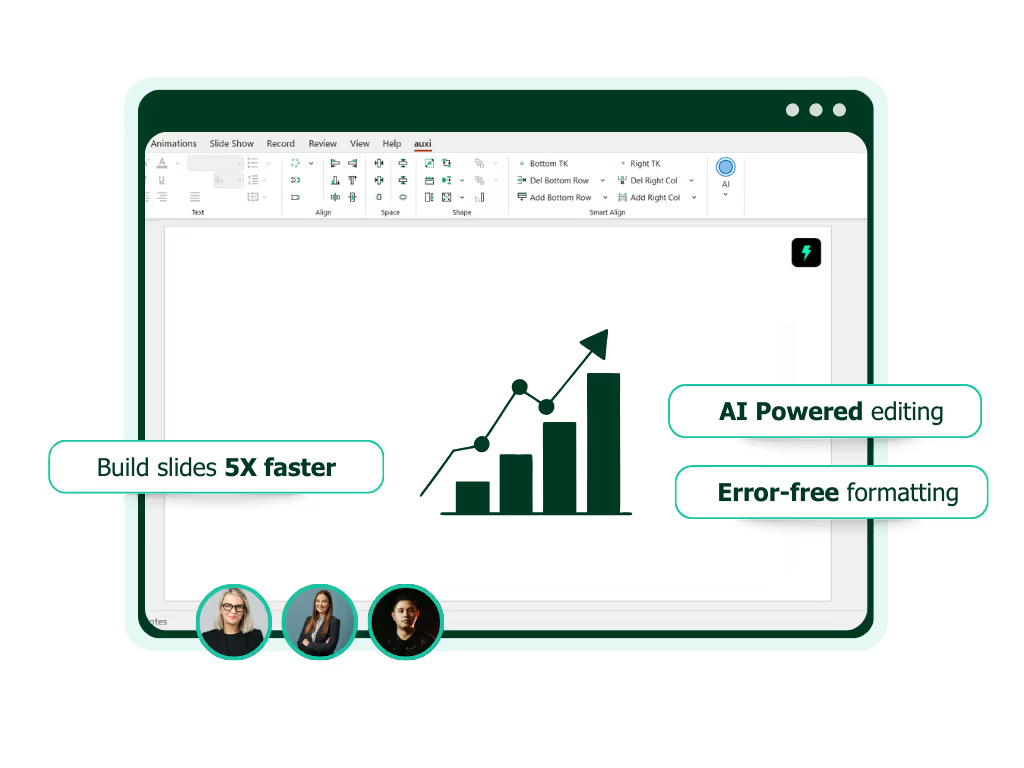
See auxi in action
your workflows and save you time!
AI PowerPoint Tools: How AI is Changing Presentation Creation for Enterprise Teams
Every week, hundreds of articles rank "the best AI presentation tools" by testing them with a generic prompt and comparing the output. They score design quality, count export options, and note pricing tiers.
That is useful if you are a freelancer building a pitch deck on a Saturday afternoon.
It is almost entirely useless if you are a VP at a consulting firm deciding which tool to roll out to 300 consultants, each of whom builds 20+ slides a day inside tightly branded PowerPoint templates, often containing confidential client data.
The enterprise evaluation is different. The criteria are different. And the tools that win look nothing like the ones topping those listicles.
This guide exists to close that gap. It is written for VPs, directors, and operations leaders evaluating AI PowerPoint tools for teams of 20 or more. We will walk through the categories of tools available, the criteria that actually matter at enterprise scale, how AI is being used inside PowerPoint workflows today, a fair comparison of the leading tools, and a practical checklist you can bring into your next vendor evaluation.
Let's get into it.
The Two Categories of AI PowerPoint Tools (Most People Confuse)
Before comparing individual products, there is a foundational distinction that most roundups gloss over entirely. It is also the single most important thing to understand when evaluating AI presentation tools for your team.
There are two fundamentally different categories of AI PowerPoint tools:
Standalone AI presentation platforms build slides in their own environment. You enter a prompt, the tool generates a deck inside its own editor, and you either present from that platform or export to PPTX. Tools like Gamma, Beautiful.ai, Canva, and Pitch fall into this category.
AI-powered PowerPoint add-ins work directly inside Microsoft PowerPoint. Your slides never leave the application. Your templates, fonts, layouts, and master slides stay intact. Tools like auxi, Microsoft Copilot, SlidesAI, and Plus AI operate this way.
Why does this distinction matter so much for enterprise teams? Three reasons.
First, file compatibility and workflow continuity. Enterprise teams do not work in a vacuum. Decks get circulated between partners, associates, clients, legal, and compliance. They get merged with other decks. They get reviewed in track-changes mode. They get emailed as .pptx files and opened on machines running different versions of Office. When a tool generates content outside of PowerPoint, the exported file almost always carries formatting inconsistencies, broken layouts, or mismatched fonts. The "AI saved me time" narrative collapses when an analyst spends 45 minutes reformatting the export.
Second, brand template preservation. Most large firms have invested heavily in PowerPoint master templates. Those templates encode brand colors, font hierarchies, layout grids, and slide structures that have been approved by brand, legal, and design teams. A standalone AI platform generates slides using its own design system, not yours. An add-in that works inside PowerPoint can operate within your existing templates.
Third, IT and security approval. Standalone platforms require data to leave your organization's environment and enter a third-party system. For consulting firms handling client-confidential materials, or investment banks working on pre-announcement deal content, that is often a non-starter. A PowerPoint-native tool can operate within your existing security perimeter.
We call this the "paste-and-reformat" problem. When AI generates content outside PowerPoint, the formatting work does not disappear. It simply gets transferred from the AI to the human. For individual users creating one-off decks, that tradeoff might be acceptable. For enterprise teams producing hundreds of slides per week under brand and compliance constraints, it is not.
What Enterprise Teams Actually Need from AI PowerPoint Tools
The evaluation criteria that matter for a 200-person consulting firm or a 50-person investment banking division are completely different from what a freelancer or a startup founder needs.
Here is what enterprise buyers should actually be evaluating.
Brand compliance and template governance. Can the tool enforce brand standards across hundreds of users? This goes beyond "does it have a brand kit." It means: can you lock down approved colors, fonts, and layouts so that AI-generated content automatically conforms? Can admins control which templates are available? When a new hire uses the tool, does the output look like it came from a 10-year veteran who knows the brand guidelines inside and out?

For firms like PwC, KPMG, or Goldman Sachs, a single off-brand slide in a client deliverable is not a minor inconvenience. It is a credibility issue. The AI tool needs to understand and enforce the firm's visual identity natively.
Data security and confidentiality. Does slide content or client data leave your environment? Where is the data processed? What certifications does the vendor hold? Can you deploy on a private instance? For teams working on M&A transactions, regulatory filings, or sensitive client strategies, these are not nice-to-haves. They are prerequisites.
Integration with existing workflows. Does the tool work with your existing PowerPoint templates, or does it force you onto a new platform? Can your team keep using the same file structures, review processes, and distribution methods they already have? The cost of switching platforms extends far beyond the subscription fee. It includes retraining, workflow redesign, and the productivity dip during transition.
Scalability and admin controls. A single-user tool with a personal login is not an enterprise solution. Enterprise teams need admin portals, license management, SSO integration, user provisioning, and usage reporting. The IT team needs to be able to deploy, manage, and monitor the tool across the organization.
Output quality for professional contexts. There is a meaningful difference between "AI-generated slides that look nice" and "AI-generated slides that can survive a partner review at McKinsey or a managing director's scrutiny at Goldman Sachs." Enterprise output quality means precise alignment, correct spacing, consulting-grade text density, and layouts that follow the conventions of the industry.
Multi-language support for global teams. For firms operating across regions, the ability to translate entire decks while preserving layout, direction (for RTL languages like Arabic and Hebrew), and formatting is a significant productivity lever. This is not a cosmetic feature. For a global consulting firm producing the same strategy deck in English, Arabic, and Mandarin, it is a core workflow requirement.
How AI is Being Used in PowerPoint Today (Real Use Cases)
The conversation around AI presentations has been dominated by one use case: "type a prompt, get a deck." That is the flashiest demo, but it is a fraction of how enterprise teams are actually using AI inside PowerPoint.
Here are the workflows where AI is delivering real productivity gains for professional teams today.
Deck scaffolding and structure generation. Going from a project brief or an RFP to a full deck framework in minutes instead of hours. This is not about generating final content. It is about getting the bones of a 40-slide strategy deck laid out, with the right sections, the right number of content slides per section, and placeholder text that reflects the actual engagement. auxi's Proposal Maker, for example, automates proposal creation using your company's actual templates and brand structure, producing an enterprise-grade starting point rather than a generic AI output.
Content refinement within slides. Rather than generating slides from scratch, AI is increasingly being used to improve content that already exists. This includes expanding bullet points into full paragraphs, summarizing dense text blocks into executive-friendly language, rewriting content in a consulting voice, and fixing grammar across an entire deck. These are the day-to-day micro-tasks that consume hours of analyst and associate time. Tools that handle this natively inside PowerPoint, without requiring copy-paste into a separate AI interface, create the most friction-free experience.
Formatting and brand compliance automation. This is where enterprise teams see some of the largest time savings. A typical scenario: a 60-slide deck has been assembled from four different source presentations. The fonts are inconsistent, the colors are off-brand, the alignments are slightly different on every slide, and someone used the wrong template for three of the divider slides. Manually fixing this takes hours.

With the right tooling, it can take minutes. auxi's branding features allow users to fix slide colors to match theme colors with a single keystroke, replace fonts across an entire deck at once, and enforce formatting consistency with the Checker, which flags double words, multiple spaces, empty placeholders, off-brand elements, and other inconsistencies. Microsoft Copilot is also building in brand compliance features, including pulling from approved enterprise asset libraries.
Slide translation for global teams. Translating a 50-slide deck is not just a text replacement exercise. It requires adjusting layouts for text expansion (German text runs roughly 30% longer than English), flipping entire slide layouts for RTL languages, and preserving the visual hierarchy despite different character widths. auxi's translation feature handles this by translating into 50+ languages while automatically flipping content direction for RTL languages. This is a capability that most standalone AI platforms do not offer at all.
Quality checking and consistency enforcement. Before a deck goes to a client or a board, someone needs to review it for consistency errors. Are there double spaces? Empty text boxes left from template placeholders? Comments that should have been deleted? Notes that contain internal-only language? The Checker in auxi automates this entire review process, flagging and fixing issues across the full deck in seconds. This is the kind of workflow automation that does not make for a flashy demo but saves hours of senior time every week.
Template-driven design recommendations. Rather than starting from a blank prompt, AI can analyze the content already on a slide and recommend layouts that would work well for that specific combination of text, data, and visual elements. auxi's AI Recommendations feature does exactly this. Using a proprietary machine learning model trained on millions of slides, it suggests design layouts based on your actual content and automatically populates the selected layout while maintaining brand compliance. Type-Based Recommendations takes this further by letting users search for specific layout types ("team slide with 3 images and 4 text boxes") and instantly applying the result.
Comparing AI PowerPoint Tools for Enterprise Use
Rather than ranking tools on a generic score, let's compare them across the criteria that enterprise buyers actually care about. This is not a listicle. It is a framework.
The table below summarizes how each tool performs against the enterprise criteria we outlined earlier. Detailed analysis follows.
Now let's look at each tool in more detail.
auxi is a PowerPoint-native add-in built specifically for enterprise professional services teams. It is used by 8 of the top 10 consulting firms and has facilitated the creation of over 5 million slides. Its core strength is the combination of deep PowerPoint integration (250+ features accessible via keyboard shortcuts and the Smart Bar), AI-powered formatting and design recommendations, and enterprise-grade brand compliance tools. It offers one-click color fixing, font replacement across decks, matrix alignment, automated row and column management that intelligently reformats surrounding content, and the Checker for deck-wide quality assurance. The Gen AI features (expand, summarize, rewrite, rewrite as consultant, grammar fix) operate directly on selected text inside your slide, preserving formatting and context. The Proposal Maker generates full decks using your company's branded templates and structure.

Where auxi is particularly strong: brand compliance automation, formatting speed for complex slides, multi-language translation with RTL support, and the sheer depth of its PowerPoint-native feature set. The tool was purpose-built for the consulting and investment banking use case, which means it understands the conventions of those industries (data-dense slides, process flows, comparison matrices, executive summaries) in ways that general-purpose tools do not. Learn more about auxi for enterprise teams.
Microsoft Copilot for PowerPoint is the tool most enterprise buyers ask about first, and for good reason. It operates natively inside PowerPoint, can generate presentations from Word documents, and is increasingly integrating with enterprise brand assets through SharePoint Organization Asset Libraries. The February 2026 update introduced agentic capabilities on the web, letting users create and refine presentations through conversation.
But enterprise buyers need to understand two important realities. First, the cost and access model is shifting. The full Copilot license runs $30 per user per month on top of existing M365 subscriptions, and Microsoft recently announced that starting April 2026, Copilot Chat will no longer be available in Word, Excel, PowerPoint, and OneNote for organizations with more than 2,000 users who do not pay for the full license. For a 500-person consulting firm, that is $180,000 per year before you evaluate whether the output meets your standards.
Second, and more fundamentally, Copilot is a general-purpose AI assistant. It does not understand industry-specific conventions. It cannot distinguish between a consulting process flow and an IB waterfall chart. It does not offer the 250+ formatting, alignment, and brand compliance features that power users in professional services need daily. It does not provide matrix alignment, smart row and column management, one-click color fixing across a deck, or automated quality checking. When a senior consultant needs to add a column to a comparison slide without reformatting 15 other elements, Copilot does not have an answer. auxi does. Many enterprise teams end up using Copilot for basic content drafting alongside a specialized tool like auxi for the formatting, compliance, and production work that makes up the bulk of actual slide-building time.
Plus AI works inside Google Slides and PowerPoint as an add-on, making it a reasonable option for teams that split their workflow between the two ecosystems. It handles slide generation, content rewriting, and layout remixing. However, it does not offer formatting depth, brand compliance automation, or the specialized professional services features that enterprise teams at scale require.
Gamma, Beautiful.ai, and Canva are standalone platforms that generate slides in their own environments. Each has strengths for specific use cases: Gamma for visually polished pitch decks, Beautiful.ai for data-heavy recurring reports, and Canva for marketing teams already embedded in its ecosystem. But as we established earlier, standalone platforms carry fundamental limitations for enterprise professional services teams. Output requires reformatting after PPTX export. Your existing brand templates are not preserved. Confidential data leaves your PowerPoint environment. For the VP evaluating tools for a consulting practice or an IB division, these are disqualifying trade-offs.
Where this leaves enterprise buyers. The comparison narrows quickly when you apply enterprise criteria. Standalone platforms are out for teams that need PowerPoint-native workflows, brand compliance, and data security. Copilot offers general-purpose AI assistance inside PowerPoint, but lacks the formatting depth, industry-specific intelligence, and brand automation that professional services teams depend on. auxi was built from the ground up for exactly this use case. It is the tool trusted by 8 of the top 10 consulting firms, used to create over 5 million slides, and purpose-designed for the workflows that define consulting, investment banking, and corporate strategy work. Request a demo to see it in action.
What to Look for When Evaluating AI PowerPoint Tools for Your Team
If you are leading the evaluation process for your organization, here is a practical checklist of questions to ask every vendor. These are the questions that separate enterprise-ready tools from consumer products with an "Enterprise" label.
Is the tool PowerPoint-native, or does output require reformatting?
Ask the vendor to demonstrate generating a deck using your actual master template. Not their demo template. Yours. Then open the output in your standard version of PowerPoint and check fonts, colors, layouts, and alignments. If anything breaks, multiply that by the number of slides your team produces per week.
What data security certifications and commitments are in place?
Ask for specifics. What cloud infrastructure backs the tool? Is data encrypted in transit and at rest? Can you deploy on a private instance? What are the data retention policies? For firms handling client-confidential materials, this is a gating criterion. auxi, for example, is built on Microsoft Azure and offers custom backend deployments for enterprise plans.
Can it enforce your existing brand templates and guidelines?
Not "can it use a brand kit" but "can it ensure that every piece of AI-generated content automatically conforms to our approved fonts, colors, layouts, and template structures without requiring manual cleanup?" Ask for a demonstration with your actual brand guidelines.
Does it support enterprise deployment?
SSO, admin controls, user management, license provisioning, usage reporting. If the vendor cannot demonstrate these, the tool is not ready for enterprise.
What is the learning curve for a team of 50+ users?
A tool with powerful features is useless if adoption stalls. Ask about onboarding support, training resources, and the time-to-productivity for a typical user. auxi, for example, provides dedicated CS team training sessions and a comprehensive user manual alongside its Smart Bar, which surfaces feature recommendations based on what the user is doing at that moment, reducing the learning curve significantly.
Can it handle multi-language, multi-region workflows?
If your firm operates globally, test the translation capabilities with a real deck. Check not just text accuracy but layout preservation, font handling for non-Latin scripts, and RTL support.
What does the output actually look like in a real client-facing deck?
Ask the vendor to take a real (anonymized) deck from your team and demonstrate their tool's capabilities on it. Generic demos with sample content tell you almost nothing about how the tool will perform in your actual workflow.
Check out our head to head comparison with Claude for PowerPoint here.
The Future: Where AI PowerPoint Tools Are Heading
The AI presentation landscape is evolving rapidly, and the direction is clear: AI is moving from "generate a deck from a prompt" to "assist throughout the entire presentation workflow."
Deeper integration with data sources
The next frontier is AI that can pull live data from Excel, financial databases, CRM systems, and internal repositories directly into slides. Microsoft is already moving in this direction with Copilot's integration into the broader M365 data graph. Expect purpose-built tools to follow, enabling workflows where a consultant can say "update the revenue chart on slide 14 with Q1 actuals" and have it happen in seconds.
Real-time collaborative AI editing
Today, most AI features operate on a single user's work. The future involves AI that understands the context of a multi-person editing workflow, can resolve formatting conflicts when multiple people contribute to a deck, and can enforce consistency standards in real time as a deck is being built collaboratively.
AI that understands industry-specific conventions
General-purpose AI treats all presentations the same. But a consulting strategy deck, an IB pitchbook, a board presentation, and a sales deck each have distinct conventions around layout, text density, data visualization, and narrative structure. The tools that win in enterprise will be the ones that understand these distinctions and produce output that respects them. This is already a core differentiator for auxi, which was built from the ground up for consulting and financial services workflows.
The human element remains essential
AI can scaffold a deck, refine language, enforce formatting, and recommend layouts. It cannot develop the strategic insight that makes a recommendation compelling. It cannot read a room and adjust the narrative on the fly. It cannot make the judgment call about which data point to highlight and which to leave in the appendix. The most effective AI tools are the ones that accelerate the mechanical work so that professionals can spend more time on the strategic and creative work that actually drives value.
Choosing the Right AI PowerPoint Tool for Your Enterprise
The market for AI presentation tools is crowded and noisy. Most of the content ranking these tools is written for individual users and evaluated on criteria that do not translate to enterprise needs.
For enterprise teams, the evaluation comes down to a few core questions. Does it work inside PowerPoint? Can it enforce your brand? Is your data secure? Can it handle the formatting complexity of professional-grade deliverables? And can it scale across your organization with proper admin controls?
If you are evaluating AI PowerPoint tools for an enterprise team, start with those questions. The answers will narrow the field quickly.
See how auxi works inside PowerPoint for enterprise teams. Request a demo.
Frequently Asked Questions
What is the best AI tool for PowerPoint?
The best AI tool for PowerPoint depends on your use case. For enterprise teams in consulting, investment banking, and professional services, a PowerPoint-native add-in like auxi provides the deepest integration, with 250+ features for formatting, brand compliance, AI-powered design recommendations, and multi-language translation. For general-purpose AI assistance inside PowerPoint, Microsoft Copilot offers broad capabilities. For individual users prioritizing visual design, standalone platforms like Gamma and Beautiful.ai produce attractive first drafts, though export to PowerPoint often requires additional formatting work.
Can AI create a full PowerPoint presentation?
Yes. Several AI tools can generate complete presentations from a prompt, brief, or document. The quality and usefulness of the output vary significantly. Standalone platforms like Gamma and Canva generate polished decks in their own environments. PowerPoint-native tools like auxi can generate presentations using your company's actual branded templates, producing output that is closer to client-ready from the start. The key question for enterprise teams is not "can AI create a deck" but "can AI create a deck that conforms to our brand guidelines, uses our templates, and does not require extensive reformatting."
Is Microsoft Copilot good enough for enterprise PowerPoint needs?
Microsoft Copilot for PowerPoint has improved significantly, with recent updates adding agentic editing capabilities and enterprise brand asset integration. For basic slide creation and content drafting, it is a capable starting point. However, for specialized professional services workflows (consulting, investment banking, corporate strategy), Copilot has meaningful gaps. It does not understand industry-specific slide conventions or offer the formatting, alignment, and brand compliance depth that power users rely on. It does not provide one-click deck-wide color fixing, automated row and column management, matrix alignment, or quality checking. The full-featured version also requires a $30/user/month license on top of existing M365 subscriptions, and Microsoft is restricting free access for larger organizations starting April 2026. For enterprise professional services teams, Copilot works best as a complement to a purpose-built tool like auxi, not as a standalone solution.
Are AI presentation tools secure enough for confidential business content?
Security varies significantly across tools. Standalone platforms process your content on their servers, which may raise concerns for teams handling client-confidential or pre-announcement materials. PowerPoint-native tools generally operate within a more controlled environment. When evaluating security, ask about cloud infrastructure (auxi runs on Microsoft Azure), data encryption, retention policies, private deployment options, and compliance certifications. Enterprise plans from tools like auxi include custom backend deployments and data management policies for firms with strict security requirements.
What is the difference between AI presentation makers and AI PowerPoint add-ins?
AI presentation makers (like Gamma, Beautiful.ai, and Canva) are standalone platforms that generate slides in their own environment. You work in their editor and can export to PowerPoint, though formatting often shifts during export. AI PowerPoint add-ins (like auxi, Microsoft Copilot, and Plus AI) work directly inside PowerPoint. Your templates, fonts, and layouts stay intact because the AI operates within the application you already use. For enterprise teams, this distinction determines whether AI saves time on formatting or simply shifts the formatting burden from creation to cleanup.
How much do AI PowerPoint tools cost for enterprise teams?
Pricing models vary.
Microsoft Copilot costs $30/user/month for the full license (on top of Microsoft 365 subscriptions).
Plus AI starts at $10/month per user.
Beautiful.ai starts at $12/month per user with team plans at $40/user/month.
Canva Business is $20/user/month.
auxi offers a Pro plan for solo consultants and small teams, and a custom-priced Enterprise plan for larger organizations that includes enhanced AI capabilities, admin portals, dedicated support, and custom backend deployments. When evaluating cost, factor in the total cost of ownership: subscription fees plus the time spent reformatting AI output, retraining teams on new platforms, and managing the tool across your organization.