

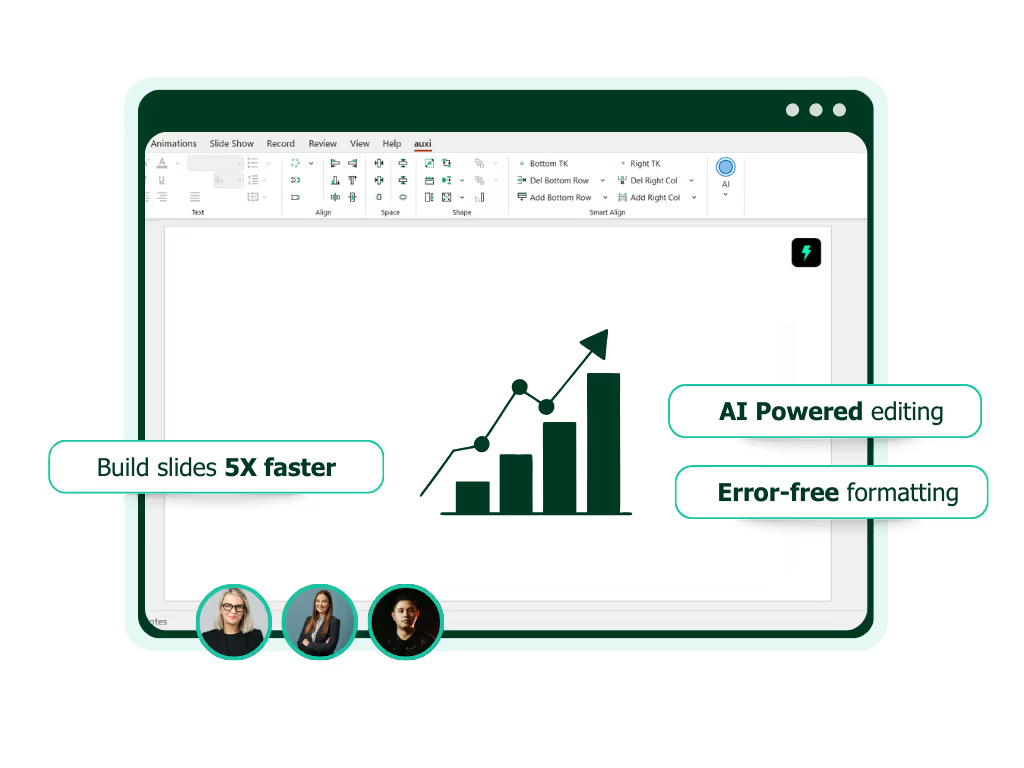
See auxi in action
your workflows and save you time!
Why AI Assistants Alone Can't Solve Enterprise PowerPoint, And What Actually Can
An MD at a top-10 consulting firm told us recently that his team spent two weeks evaluating Claude for PowerPoint. The first drafts were impressive. Slide generation from natural language prompts. Template-aware output. Native PowerPoint objects instead of pasted images. The team was excited.
Then they ran it through a real engagement. A 55-slide strategy deck for a Fortune 100 client, built on the firm's custom master template, with three workstreams contributing content, a tight brand standard, and a 48-hour turnaround. The slides Claude generated were a solid starting point. But the brand compliance was not perfect. The font sizing was inconsistent across sections. The alignment on data-heavy slides needed manual correction. The deck still required a full formatting pass before it could go to the partner for review.
The team did not abandon Claude. They still use it every day for research, content drafting, and structuring arguments. But they realized that generating slides is only one part of the enterprise presentation problem, and it is not the part that consumes most of their time. They now use Claude for thinking and auxi for building. The research and content layer lives in one tool. The production layer lives in another. And the workflow is faster than either tool could deliver alone.
This is a story we are hearing more and more. Enterprise teams are discovering that AI assistants have gotten remarkably good at generating slides. Claude can work inside PowerPoint now. So can Copilot. ChatGPT has paths into slide creation through add-ins and agent mode.
The question is no longer "can AI make slides?"
It is "which AI for which part of the workflow?"
This post breaks down where general-purpose AI assistants genuinely excel, where they hit a wall in enterprise environments, and why the smartest teams are adopting a two-layer model that uses both AI assistants and purpose-built PowerPoint tools.
The New Reality: AI Assistants Can Now Generate PowerPoint Slides
Let's be clear about what has changed. The landscape in early 2026 looks nothing like it did even 12 months ago.
Claude for PowerPoint launched in February 2026 as an official add-in available through the Microsoft Marketplace. It reads slide masters, understands layouts, fonts, and color schemes, and generates native PowerPoint elements that you can edit directly. It can build full deck structures from natural language descriptions, convert bullet points into diagrams and process flows, and create editable charts. It supports both Opus 4.6 for complex restructuring and Sonnet 4.5 for lighter edits. This is a genuine step forward for AI in presentations, and it deserves credit.
Microsoft Copilot is deeply integrated into M365 and continues to evolve with agentic capabilities that let users create, edit, and refine presentations through conversation. It can generate slides from Word documents, pull from enterprise brand asset libraries, and iterate on content while preserving formatting.
ChatGPT cannot natively create .pptx files in its standard interface, but add-ins like Twistly bring ChatGPT-powered generation into PowerPoint. The paid version can produce slide files through agent mode. And of course, ChatGPT remains unmatched as a content drafting and research tool that feeds into any presentation workflow.
The bottom line: the argument that "AI can't work in PowerPoint" is over.
Every major AI assistant has a path to generating slides now, and some of those paths are genuinely impressive. If anyone tells you otherwise, they have not been paying attention.
So what is the problem?
Where General-Purpose AI Hits a Wall in Enterprise Environments
Generating slides is roughly 30% of the enterprise presentation problem. The other 70%, the part that consumes most of the time and carries most of the risk, is what we call last mile editing: brand compliance, formatting consistency, template governance, multilingual support, and the precision refinements that turn a draft into a deliverable.
Anyone who has used AI for presentations knows the 0-70-30 rule. AI is extraordinary at taking you from 0 to 70%. A blank page becomes a structured deck with real content in minutes. But that last 20%, the pixel-perfect alignment, the brand consistency, the firm-specific formatting rules, the transformation from "good draft" to "partner-ready deliverable," is where general tools hit the wall. And it is where most of the time goes.
General-purpose AI assistants, no matter how capable, were not built to solve that last 20%. Here is where the wall shows up.
Brand compliance at scale, and the transformation problem. Claude for PowerPoint reads the slide master and aims to maintain brand compliance. According to Prezent's testing, it achieves roughly 85% compliance with brand guidelines. For a solo user building an internal deck, that is genuinely useful. For a 200-person consulting firm where every deck represents the firm's reputation to a paying client, 85% means corrections on nearly every slide.
Let's do the math.
If a typical client-facing deck is 50 slides and 15% need brand corrections, that is 7 to 8 slides requiring manual fixes per deck.
If your firm produces 50 decks per week, that is 350 to 400 slides per week with brand issues. At an average of 10 minutes per fix, that is 58 to 67 hours per week spent on brand cleanup alone.
Purpose-built tools like auxi do not aim for 85%.
They enforce brand rules deterministically. One-click color fixing across the entire deck. Bulk font replacement. The Checker catching every off-brand element, double space, and empty placeholder in seconds. The compliance is not approximate. It is absolute.
There is also a workflow that general AI tools cannot address at all: brand transformation. Consulting and banking teams constantly need to move decks between brands, converting a deck built in one client's template to another client's format, or updating a legacy deck to the latest version of the firm's master template. This is a daily reality in professional services, and it will remain a daily reality regardless of how powerful AI generation becomes. Reading a template is table stakes. Enforcing brand standards, managing template transitions, and transforming content between design systems requires purpose-built tooling.
Template governance and consistency. AI assistants work with whatever template is currently open. They do not manage template libraries. They do not enforce which template should be used for which client. They do not prevent associates from using an outdated version of the master template, or from accidentally applying elements from a different client's brand. They do not provide admin-level controls over which templates are available to which teams.
Enterprise teams need governance, not just generation. When a firm manages 15 different client brand templates across 200 users, the system needs to enforce the right template for the right engagement. That is a platform-level capability, not something a conversational AI sidebar can solve.
Last mile editing and production-speed formatting. This is the gap that enterprise teams feel most acutely, and it is the heart of the 0-70-30 problem. Consulting and IB teams do not just need slides generated. They need slides refined at speed. Aligning 47 objects across a complex comparison slide. Adding a row to a framework slide without manually resizing and repositioning every other element. Rebuilding a comps table when the managing director adds two more comparables at 11pm. Fixing font inconsistencies across a merged deck assembled from three different workstreams. Applying matrix alignment to a 2x3 grid. Distributing spacing evenly across a process flow.
These are not generation problems.
They are last mile editing problems. And they consume 60 to 70% of the time professional teams spend on presentations. Here is where you see the difference between a general AI trying to do everything and a tool purpose-built for one job.
A general-purpose AI assistant does not have the 250+ specialized formatting features that power users need at their fingertips. It does not offer keyboard shortcuts like A+L to align left, A+X for matrix alignment, or Q to fix all slide colors to the theme in one keystroke. It does not have the Smart Bar that surfaces the right formatting function based on what you are doing at that moment. Users love general AI tools in the first 15 minutes. The demo feels like magic. But after running it through real engagements several times, you hit the wall: the editing becomes weak, time-consuming, and frustrating, because the tool was not built to solve this specific problem.
Multilingual deck support with layout intelligence. Enterprise teams working across the US, Europe, and MENA need to translate entire decks while preserving layout direction and visual integrity. This means more than translating text. German text runs roughly 30% longer than English. Arabic and Hebrew require flipping the entire slide layout from left-to-right to right-to-left, including charts, process flows, and hierarchies. A general-purpose AI can translate text. It does not understand RTL layout flipping, chart direction reversal, or text expansion accommodation. auxi handles translation into 50+ languages with automatic content direction flipping, purpose-built for exactly this workflow.
Confidentiality and enterprise security infrastructure. Claude for PowerPoint is currently in beta as a research preview. Anthropic's own documentation states that custom data retention settings are not yet inherited by the add-in, it is not included in Enterprise audit logs, and it is not part of the Compliance API. For a consulting firm working on an M&A transaction or an IB team handling pre-announcement deal materials, those gaps are not minor. They are deal-breakers until resolved.
Purpose-built enterprise tools like auxi have had years to build this infrastructure.
auxi's enterprise plans run on Microsoft Azure with custom backend deployments, documented data management policies, and admin portals with full license management. The security posture is not "coming soon." It is production-ready.
The "Two Layer" Model: Why the Smartest Teams Use Both
Here is the insight that the most sophisticated enterprise teams have already landed on: AI assistants and purpose-built PowerPoint tools are not competitors. They are complementary layers in a presentation workflow, and trying to make one do the other's job is a mistake.
Layer 1: General-purpose AI for research, thinking, and content. Claude, ChatGPT, and Copilot are extraordinary tools for synthesizing information, drafting narrative, structuring arguments, and generating initial content. A consultant might use Claude to research an industry vertical, draft an investment thesis, outline a deck structure, and generate the first-pass content for key slides. This is where general AI is unmatched, and no purpose-built PowerPoint tool tries to compete with it.
Layer 2: Purpose-built PowerPoint tools for production and last mile editing. Once the thinking is done and the content is drafted, the work shifts to production: building the actual deck inside PowerPoint using the firm's branded template, formatting slides to professional standards, enforcing brand compliance, checking for consistency errors, translating for global audiences, and making the dozens of precision refinements that turn a draft into a client-ready deliverable. This is not a job for a general AI. It is a job for a tool that was built from the ground up for this specific workflow, the way an analyst at your firm would build a deck step by step. This is where auxi operates.
A real workflow looks like this: a senior consultant uses Claude to research the competitive landscape for a client engagement, structure the key findings into a storyline, and draft the narrative for each section. Then the consultant opens PowerPoint with auxi, uses the Guided Builder to scaffold the deck following the firm's internal workflow and branded template structure, applies AI Recommendations to select optimal layouts for each slide, refines the content using Gen AI features (rewrite as consultant, expand, summarize), runs the Checker to catch every inconsistency, and delivers a partner-ready deck.
This model works because it respects what each tool does best. It does not ask Claude to manage template governance or bulk alignment. It does not ask auxi to research industry trends. Each layer handles the part of the workflow it was engineered for.
See how auxi works alongside your AI stack inside PowerPoint. Request a demo.
What to Evaluate When Choosing Your PowerPoint AI Stack
If you are building an AI-powered presentation workflow for your team, here is a practical framework.
For research and content drafting, choose the AI assistant your team prefers. Claude, ChatGPT, and Copilot are all strong here. Let your team use whichever one they are most productive with. This is not where differentiation happens for enterprise presentation quality.
For PowerPoint production, evaluate on the criteria that actually determine output quality and team efficiency. Does the tool enforce brand guidelines automatically, or does it approximate them? Can your IT team deploy and manage it across 200+ users with admin controls, SSO, and license management? Does it handle production workflows like bulk alignment, table management, font replacement, and consistency checking? Does it support multi-language translation with layout intelligence? Is the security infrastructure production-ready with documented data residency and audit capabilities? Is it built for your specific use case, whether that is consulting, investment banking, or corporate strategy?
The most important question to ask: does the tool solve the 70% production problem, or only the 30% generation problem? If the answer is generation only, you are leaving the majority of your team's presentation time unaddressed.
How auxi Fits Into the AI-Powered Presentation Workflow
auxi is not a general AI trying to do everything. It is purpose-built for management consulting and banking workflows. PowerPoint slides only. Nothing else. It lives inside PowerPoint as a native add-in, and it is trusted by 8 of the top 10 consulting firms with over 5 million slides created.
That focus is the product. Where Claude and Copilot offer one general-purpose AI in a sidebar, auxi's AI layer, Darwin, is a system of specialized agents, each built for a specific task in the presentation workflow. The Guided Builder walks users through structured, step-by-step deck creation that replicates how your firm actually builds decks internally. It does not just output slides.
It follows the sequence, the logic, and the storyline structure your organization uses, so you end up with a usable deck rather than a generic first draft. The Builder handles open-ended slide generation. Super Search finds slides across your SharePoint. Feature agents execute auxi's 250+ formatting and productivity functions. And for enterprise clients, custom agents can be configured for company-specific roles and workflows.
The difference is architectural. Claude is one brilliant generalist in a sidebar. Darwin is a team of specialists, each purpose-built for a specific job, all living inside PowerPoint and accessible with a single shortcut (Ctrl+I to switch agents). The right tool for the right task, inside one platform.
On top of the agent layer, auxi provides the last mile editing capabilities that no general AI addresses. One-click brand enforcement that fixes colors, fonts, and formatting across an entire deck. AI Recommendations that analyze your slide content and suggest optimal layouts from your firm's template library. Smart alignment tools that handle matrix, process, and free-form alignment in keystrokes. Add Row and Add Column features that intelligently reformat every surrounding element. The Checker that catches double words, empty placeholders, off-brand elements, and inconsistencies. Brand transformation tools that convert decks between client templates or update legacy decks to your latest master design. Translation into 50+ languages with automatic RTL flipping.
A real workflow looks like this: a consultant uses Claude to research the competitive landscape and draft the storyline. Then they open PowerPoint with auxi, launch Darwin's Guided Builder to scaffold the deck using the firm's branded template and internal structure, apply AI Recommendations to select optimal layouts, refine the content using Gen AI features (rewrite as consultant, expand, summarize), run the Checker to catch every inconsistency, and deliver a partner-ready deck. The workflow that used to take 4 hours with a general AI tool alone now takes 90 minutes, because the last mile editing layer eliminates the manual formatting, compliance checking, and cleanup that consumed most of the time.
The outcome is not just faster slides. It is better slides. Slides that survive partner review. Slides that pass brand audits. Slides that represent the firm's quality standard to every client, every time.
The AI landscape for presentations has evolved dramatically, and that is a good thing. Claude, ChatGPT, and Copilot have made the research and content layer of presentation work faster and smarter than ever. But for enterprise teams that need production-grade output at scale, the generation layer is not the layer that determines quality, consistency, and efficiency. The smartest teams are not choosing between AI assistants and purpose-built PowerPoint tools. They are using both.
See how auxi works alongside your AI stack inside PowerPoint. Request a demo.
Frequently Asked Questions
Can Claude create PowerPoint presentations?
Yes. Claude for PowerPoint launched in February 2026 as an official Microsoft Marketplace add-in. It reads your slide master, layouts, fonts, and color scheme, and generates native PowerPoint elements from natural language descriptions. It can build full deck structures, convert bullets into diagrams, and create editable charts. It is currently available in beta on Pro, Max, Team, and Enterprise plans, with Opus 4.6 for complex tasks and Sonnet 4.5 for quick edits. However, it is a general-purpose AI assistant rather than a purpose-built presentation production tool, which means it handles content generation well but does not address enterprise needs like automated brand compliance enforcement, template governance, bulk formatting, or multilingual translation with RTL layout support.
What is the difference between Claude for PowerPoint and a purpose-built PowerPoint add-in?
Claude for PowerPoint is a general-purpose AI assistant that works inside PowerPoint via a sidebar. It excels at generating slides, restructuring content, and converting text into visuals. A purpose-built PowerPoint add-in like auxi is an enterprise productivity platform with 250+ specialized features for formatting, alignment, brand compliance, translation, and quality checking. Where Claude offers one general AI in a sidebar, auxi's AI layer (Darwin) provides multiple specialized agents: a Guided Builder for structured deck creation that follows your firm's internal workflow, a Builder for open-ended generation, Super Search for finding slides across SharePoint, and feature agents for executing formatting and productivity functions. The core difference: Claude helps you generate content; auxi helps you produce a client-ready deck. Most enterprise teams use both, with Claude (or ChatGPT) handling research and content drafting, and auxi handling the production and last mile editing workflow inside PowerPoint.
Is Microsoft Copilot enough for enterprise PowerPoint needs?
Copilot is a capable general-purpose AI assistant that generates slides, creates content from Word documents, and is adding enterprise brand asset integration. However, it does not offer the specialized formatting depth (matrix alignment, smart row/column management, process alignment), automated brand compliance enforcement (one-click color fixing, bulk font replacement, consistency checking), or industry-specific intelligence (consulting frameworks, IB comps tables) that professional services teams need for production-quality output. At $30/user/month on top of M365 subscriptions, it is also a significant investment. Many enterprise teams use Copilot alongside a purpose-built tool rather than as a standalone solution. For a deeper comparison, see our comprehensive guide to AI PowerPoint tools.
Can ChatGPT make professional consulting presentations?
ChatGPT is an excellent content drafting tool for presentations. It can structure arguments, draft slide copy, and generate outlines. However, it cannot natively create .pptx files in its standard interface (add-ins like Twistly bridge this gap). More fundamentally, ChatGPT does not understand consulting-specific conventions like action titles versus topic titles, the formatting standards of an MBB-style deck, or the difference between a waterfall chart and a Mekko chart. For professional consulting presentations, the recommended workflow is to use ChatGPT for content ideation and drafting, then a purpose-built tool like auxi for slide production, brand compliance, and formatting.
How do enterprise teams use AI assistants and PowerPoint tools together?
The most effective enterprise teams operate on a two-layer model. Layer 1 uses AI assistants (Claude, ChatGPT, Copilot) for research, content synthesis, argument structuring, and initial drafting. Layer 2 uses purpose-built PowerPoint tools (auxi) for deck production: scaffolding the deck using branded templates, applying AI-recommended layouts, formatting and aligning slides, enforcing brand compliance, running quality checks, and translating for global audiences. The layers are complementary. Each handles the part of the workflow it was designed for, and the result is both faster and higher quality than trying to use a single tool for everything.
What should I look for in a PowerPoint AI tool for my team?
Evaluate on six criteria: brand compliance automation (does it enforce your guidelines or approximate them?), template governance (can admins control templates across the organization?), formatting speed (does it have specialized tools for alignment, table management, and bulk editing?), multilingual support (can it translate and flip layouts for RTL languages?), enterprise security (is the infrastructure production-ready with documented data policies?), and industry-specific workflows (does it understand consulting frameworks, IB conventions, or corporate strategy deck structures?). If a tool only addresses content generation but not production workflows, it is solving the smaller part of the problem.